주요 콘텐츠로 건너뛰기
수리 커뮤니티 가입 - 계정 만들기

Sony CDX-GT540UI Front Panel Replacement

필요한 것

  1. Sony CDX-GT540UI Front Panel Replacement, Front Panel: 1 단계, 이미지 1개 중 1개
    • Locate face-plate eject button.

  2. Sony CDX-GT540UI Front Panel Replacement: 2 단계, 이미지 2개 중 1개 Sony CDX-GT540UI Front Panel Replacement: 2 단계, 이미지 2개 중 2개
    • Press the eject button.

    • Remove the face-plate.

  3. Sony CDX-GT540UI Front Panel Replacement: 3 단계, 이미지 3개 중 1개 Sony CDX-GT540UI Front Panel Replacement: 3 단계, 이미지 3개 중 2개 Sony CDX-GT540UI Front Panel Replacement: 3 단계, 이미지 3개 중 3개
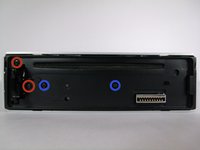
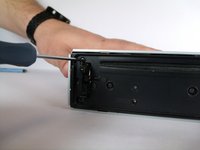
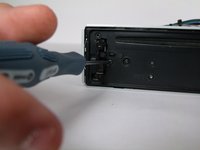
    • Remove two 4.9mm Phillips #00screws on the front of the device.

    • Remove two 7.5mm Phillips #00screws on the front of the device.

    • When the screws are removed, the eject lever may fall into the device. Make sure the device is held horizontal and level.

  4. Sony CDX-GT540UI Front Panel Replacement: 4 단계, 이미지 2개 중 1개 Sony CDX-GT540UI Front Panel Replacement: 4 단계, 이미지 2개 중 2개
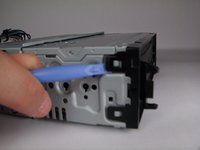
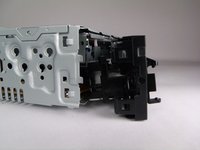
    • Rotate device 90 degrees to either side.

    • Use the plastic opening tool to pry open the top and bottom tab respectively.

    • Repeat on opposite side.

  5. Sony CDX-GT540UI Front Panel Replacement: 5 단계, 이미지 1개 중 1개
    • Remove front panel.

결론

To reassemble your device, follow these instructions in reverse order.

다른 2명이 해당 안내서를 완성하였습니다.

작성자

4다른 기여자 명과 함께

Odelkys Marquez

회원 가입일: 09/22/14

1,139 평판

안내서 7개를 작성함

USF Tampa, Team 10-2, Brown Fall 2014 USF Tampa, Team 10-2, Brown Fall 2014 회원

USFT-BROWN-F14S10G2

3 회원들

안내서 7개를 작성함

0가이드 댓글

댓글 쓰기

조회 통계:

지난 24시간: 2

지난 7일: 10

지난 30일: 36

전체 시간: 3,053