소개
If your camera's screen isn't working properly, you may need to replace it. Follow this guide to do so!
필요한 것
-
-
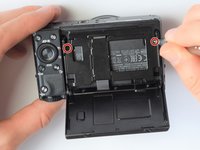
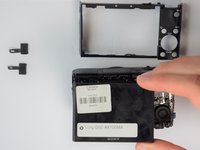
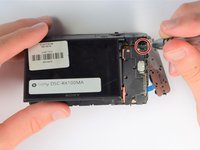
Using the screwdriver, remove all screws (black 2.5mm) from outermost layer of the assembly.
-
-
-
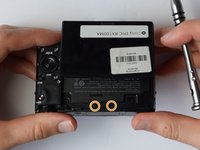
Also using the screwdriver, remove screws (black 1mm) underneath articulated LCD screen.
-
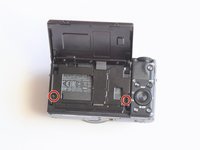
Remove the marked 2.5 mm screws with the screwdriver
-
-
-
-
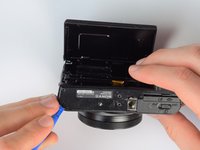
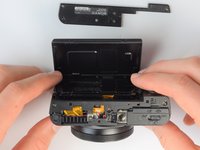
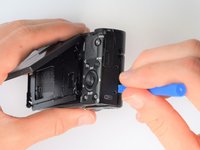
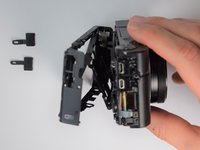
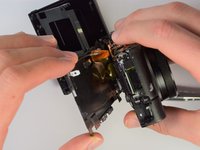
Using the same plastic opening tools, separate the screen and back assembly from the front portion of the camera
-
Once the back assembly is slightly detached, pull the media covers for the HDMI and Multimedia ports
-
-
-
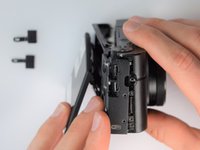
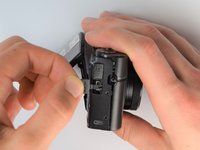
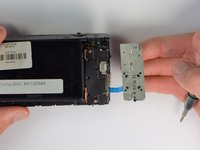
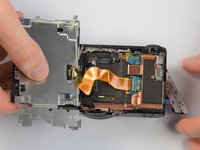
Move side panel to get access to screws
-
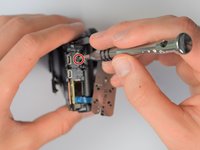
Remove two screws (black 2.5mm) with PH #0 screwdriver
-
-
-
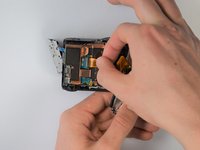
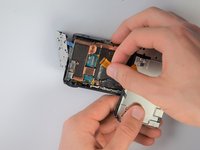
Carefully unplug ribbon connector to fully detach LCD screen assembly from camera
-


 FixBot에 문의하기














To reassemble your device, follow these instructions in reverse order.
다른 2명이 해당 안내서를 완성하였습니다.

팀

Cal Poly, Team 21-1, Maness Winter 2017 Cal Poly, Team 21-1, Maness Winter 2017 회원
CPSU-MANESS-W17S21G1
5 회원들
안내서 10개를 작성함
5가이드 댓글
Any idea where I can get a set or replacement screws? one came out of my LCD joint and I can’t find replacements anywhere online. I’ve even tried Ebay.
Alberto Lora - 답글 공유
Definately be careful with the gold ribbon cable, looked at mine funny and it just snapped in two.. waiting on a replacement now :(
Connor Quinn - 답글 공유
I’ve ripped 2 of these before - not fun! Still… cheap enough to buy but delivery took a couple of weeks.
I had a cracked screen so had to take this out to replace as well - problem i’ve had is that although i stuck it down really well (with 3M 1mm double-sided tape, it doesn’t hold great and so the screen has risen a bit and doesn’t sit flush.
Just in the process now of sticking it down again but with a touch of superglue as i need it to hold down a bit better - that should hopefully be me done then :)
Great guide by the way KC Egger - thanks for taking the time to put this together - it’s been a life saver for me!
Where did you purchase your screen, I’ve been trying to find one from Sony parts dealers and can’t find it. Any links would be helpful, thanks.
Ian Cullen - 답글 공유
Probably a late reply but I got my screen from AliExpress, there are still a lot of them for sale and the sellers include a ribbon cable with the screen.
For these cameras the official screen protector is Sony PCK-LM15 Screen Protector
I think mine was damaged by sunscreen on my hands when using the camera over summer so putting a protective layer on top should help preserve the new screen.
Andrew Fox - 답글 공유
