수리 안내서
자사의 단계별 안내서로 무엇이든 수리하는 법을 배워보십시오.
앱
주머니 수리 도우미.
FixBot
친절한 AI 수리 도우미.
수리 용이성
수정 가능한 제품이 적합한 이유를 알아보세요.
분해도
최신 기기의 내부를 살짝 들여다 보십시오.
답변 포럼
해결책을 공유하고 친구로부터 도움을 받으십시오.
커뮤니티 찾기
팀, 이벤트, 동료 수정자를 찾아보세요.
도움말
수리 지식을 누구나 무료로 이용할 수 있도록 도와주세요.
Right to Repair
자가 수리 권리 운동에 대해 알아보고 이 권리를 지지하는 방법을 알아보세요.
추천
평생 보증이 적용되는 고품질 부품 및 도구.
도구
다양한 정밀 도구를 구입하세요.
부품
품질 보증된 부품들을 구입하세요.
iPhone 배터리
테스트를 거쳐 보증된 배터리와 필요한 모든 것이 포함된 키트를 제공합니다.
이 번역은 기계에 의해 생성된 것이며, 아직 사람이 검토하지 않았습니다. 이 언어를 아세요? 리뷰 보기.
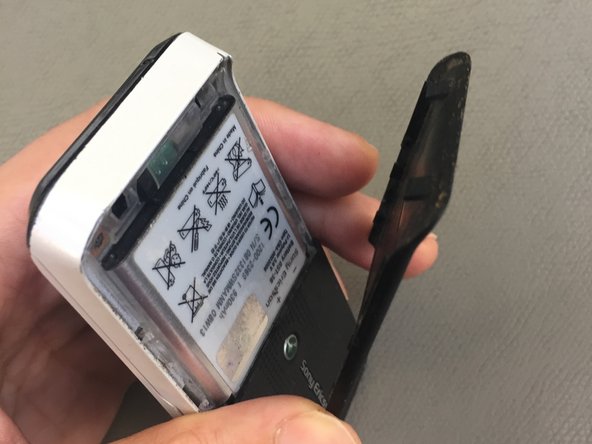
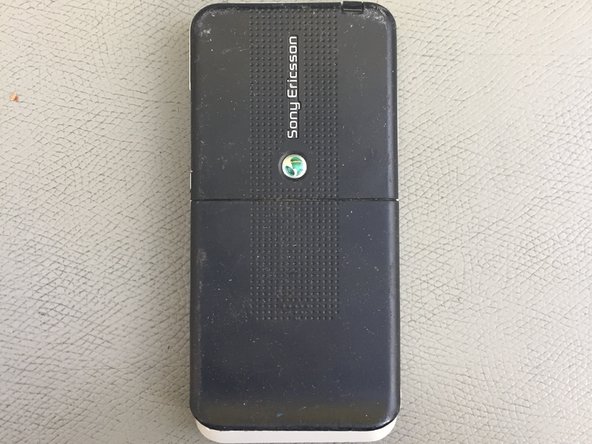
지정된 슬롯에 손톱을 넣고 백플레이트를 분리하세요. 딸깍 소리가 나면 그대로 밀어서 빼면 됩니다.
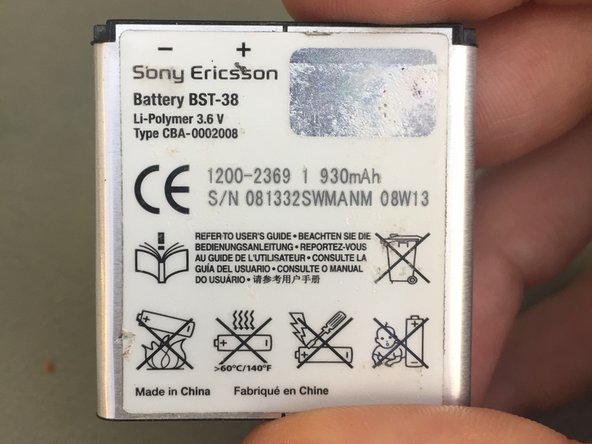
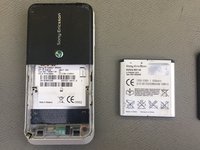
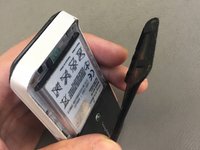
백플레이트를 분리한 상태에서, 플라스틱 도구를 슬롯에 삽입하여 배터리를 조심스럽게 꺼내세요.
배터리를 교체하세요
단계별 과정을 역순으로 진행하여 수리를 마무리하세요.
기기를 재조립하려면 이 지침을 역순으로 따르세요.
취소: 해당 안내서를 완성하지 않았습니다.
1다른 기여자 명과 함께
회원 가입일: 06/23/21
492 평판
안내서 4개를 작성함
배지: 7
배지 +4개 더
Business
1 회원
안내서 48개를 작성함
해당 안내서를 사이트/포럼에 작은 위젯으로 포함하려면 크기를 선택하고 아래 코드를 복사하십시오.
지난 24시간: 1
지난 7일: 10
지난 30일: 36
전체 시간: 477


 FixBot에 문의하기