주요 콘텐츠로 건너뛰기
수리 커뮤니티 가입 - 계정 만들기

Sony Ericsson z300 Screens Replacement

필요한 것

  1. Sony Ericsson z300 Screens Replacement, Back Phone Cover: 1 단계, 이미지 1개 중 1개
    • To remove the back cover, use your thumb to press down on the center of case and slide it off.

  2. Sony Ericsson z300 Screens Replacement, Battery: 2 단계, 이미지 1개 중 1개
    • Using a fingernail lift the battery out of the phone.

  3. Sony Ericsson z300 Screens Replacement, Front Phone Cover: 3 단계, 이미지 1개 중 1개
    • To remove the front cover, lift up the case with a fingernail in the small slot as shown.

  4. Sony Ericsson z300 Screens Replacement, Front Dark Grey Case: 4 단계, 이미지 1개 중 1개
    • To remove the front grey case, remove the two screws shown with a T5 Torx Screwdriver.

  5. Sony Ericsson z300 Screens Replacement: 5 단계, 이미지 1개 중 1개
    • Pry up the dark grey case with your fingernail until all four snaps around the top are loose.

  6. Sony Ericsson z300 Screens Replacement: 6 단계, 이미지 1개 중 1개
    • Lift up towards the bottom and slide the case off.

  7. Sony Ericsson z300 Screens Replacement, Screens: 7 단계, 이미지 1개 중 1개
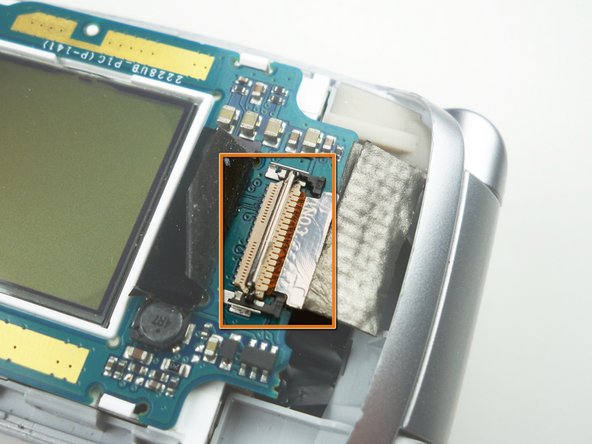
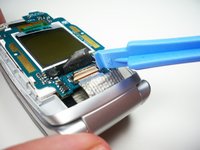
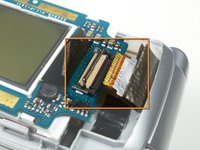
    • Use a plastic opening tool to lift the black tape off of the ribbon cable connector.

  8. Sony Ericsson z300 Screens Replacement: 8 단계, 이미지 1개 중 1개
    • Lift the ribbon cable connector lock using a plastic opening tool.

  9. Sony Ericsson z300 Screens Replacement: 9 단계, 이미지 2개 중 1개 Sony Ericsson z300 Screens Replacement: 9 단계, 이미지 2개 중 2개
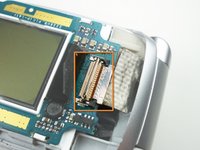
    • Slide the black ribbon cable tray out with a plastic opening tool.

    • Shown in the second picture is the try already slid out.

  10. Sony Ericsson z300 Screens Replacement: 10 단계, 이미지 2개 중 1개 Sony Ericsson z300 Screens Replacement: 10 단계, 이미지 2개 중 2개
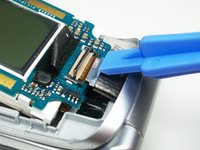
    • Slide the ribbon cable out of the connector.

    • Shown in the second picture is the cable already out.

  11. Sony Ericsson z300 Screens Replacement: 11 단계, 이미지 1개 중 1개
    • Use a plastic opening tool to lift up on the screen board and release the clips holding it in place.

    • Lift the entire board out of the phone to remove both screens.

결론

To reassemble your device, follow these instructions in reverse order.

작성자

5다른 기여자 명과 함께

Alex Serventi

회원 가입일: 10/07/10

65 평판

안내서 13개를 작성함

Cal Poly, Team 5-15, Maness Fall 2010 Cal Poly, Team 5-15, Maness Fall 2010 회원

CPSU-MANESS-F10S5G15

4 회원들

안내서 26개를 작성함

0가이드 댓글

댓글 쓰기

조회 통계:

지난 24시간: 3

지난 7일: 12

지난 30일: 44

전체 시간: 1,532