주요 콘텐츠로 건너뛰기
수리 커뮤니티 가입 - 계정 만들기

Sony Pulse Elite Edition Speaker Replacement

필요한 것

  1. Sony Pulse Elite Edition Speaker Replacement, Identifying Earpiece: 1 단계, 이미지 1개 중 1개
    • Locate the left side designation on the headband-earpiece junction.

    • The battery is in the right earpiece.

    • The motherboard is in the left earpiece.

  2. Sony Pulse Elite Edition Speaker Replacement, Ear Cushion Removal: 2 단계, 이미지 2개 중 1개 Sony Pulse Elite Edition Speaker Replacement, Ear Cushion Removal: 2 단계, 이미지 2개 중 2개
    • Gently pull around the perimeter of the left ear cushion until it comes off.

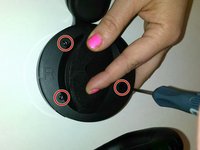
  3. Sony Pulse Elite Edition Speaker Replacement, Outer Ear Rim Removal: 3 단계, 이미지 2개 중 1개 Sony Pulse Elite Edition Speaker Replacement, Outer Ear Rim Removal: 3 단계, 이미지 2개 중 2개
    • Use the PH00 Screwdriver to remove the three Phillips 6mm screws around the perimeter of the ear cup.

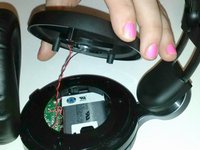
    • Gently pull the outer ear rim off of the headset assembly.

    • Harsh removal may cause permanent damage to the speaker wires.

  4. Sony Pulse Elite Edition Speaker Replacement, Remove Speaker Housing: 4 단계, 이미지 1개 중 1개
    이 단계에 사용된 도구:
    Tweezers
    $4.99
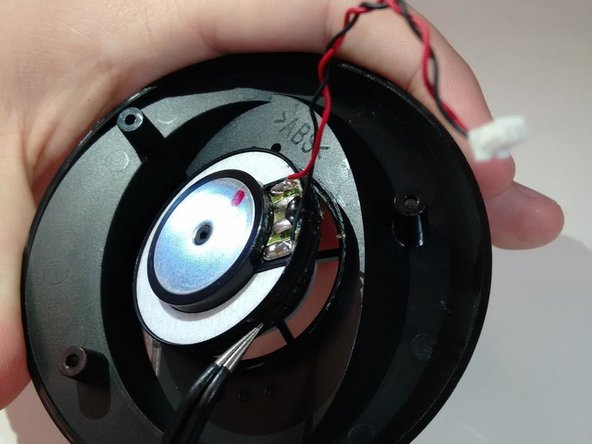
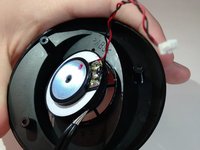
    • Using tweezers, gently pry the red and black speaker wires from the attached socket.

  5. Sony Pulse Elite Edition Speaker Replacement, Speaker: 5 단계, 이미지 2개 중 1개 Sony Pulse Elite Edition Speaker Replacement, Speaker: 5 단계, 이미지 2개 중 2개
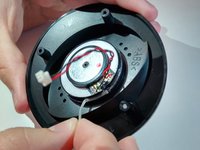
    • Locate the junction of the electrical speaker and the plastic speaker housing.

    • Use the spudger to sever the glue at this junction.

    • Remove the electrical speaker from the speaker housing.

  6. Sony Pulse Elite Edition Speaker Replacement: 6 단계, 이미지 1개 중 1개
    • Use super glue to fasten the replacement speaker into the speaker housing.

결론

To reassemble your device, follow these instructions in reverse order.

다른 4명이 해당 안내서를 완성하였습니다.

작성자

2다른 기여자 명과 함께

Armon Davani

회원 가입일: 01/29/15

400 평판

안내서 2개를 작성함

0가이드 댓글

댓글 쓰기

조회 통계:

지난 24시간: 1

지난 7일: 12

지난 30일: 68

전체 시간: 3,571