주요 콘텐츠로 건너뛰기
수리 커뮤니티 가입 - 계정 만들기

Sony VAIO VPC-EB33FM RAM Replacement

필요한 것

  1. Sony VAIO VPC-EB33FM RAM Replacement, Battery: 1 단계, 이미지 2개 중 1개 Sony VAIO VPC-EB33FM RAM Replacement, Battery: 1 단계, 이미지 2개 중 2개
    • Power down the laptop by pressing the power button.

    • Turn the laptop onto its backside.

    댓글 쓰기

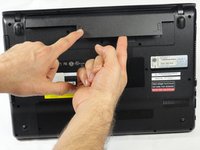
  2. Sony VAIO VPC-EB33FM RAM Replacement: 2 단계, 이미지 1개 중 1개
    • To release the battery, hold both the release button and the unlock button at the same time.

    댓글 쓰기

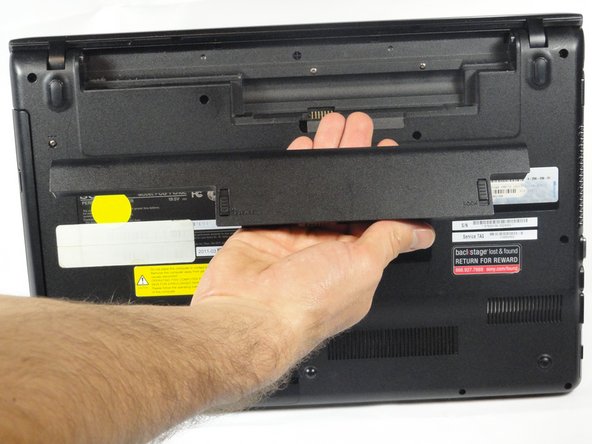
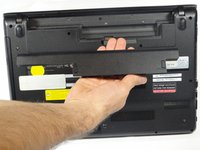
  3. Sony VAIO VPC-EB33FM RAM Replacement: 3 단계, 이미지 2개 중 1개 Sony VAIO VPC-EB33FM RAM Replacement: 3 단계, 이미지 2개 중 2개
    • Remove the battery out from the notch while continuing to hold the release button.

    댓글 쓰기

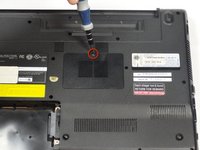
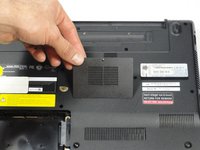
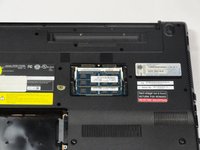
  4. Sony VAIO VPC-EB33FM RAM Replacement, RAM: 4 단계, 이미지 3개 중 1개 Sony VAIO VPC-EB33FM RAM Replacement, RAM: 4 단계, 이미지 3개 중 2개 Sony VAIO VPC-EB33FM RAM Replacement, RAM: 4 단계, 이미지 3개 중 3개
    • Remove the one screw with a Phillips #00 screwdriver.

    • The screw cannot be removed from the RAM casing cover.

    댓글 쓰기

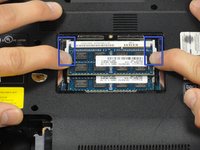
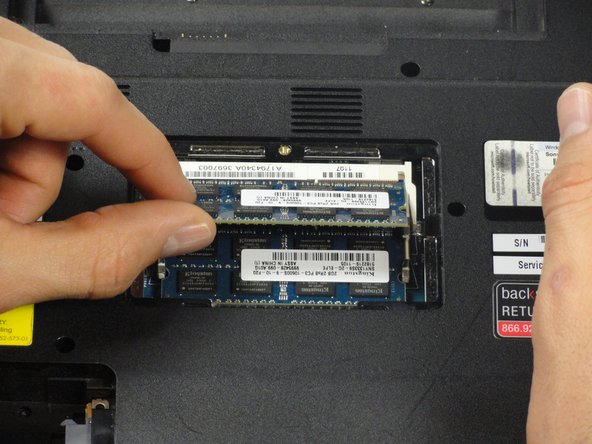
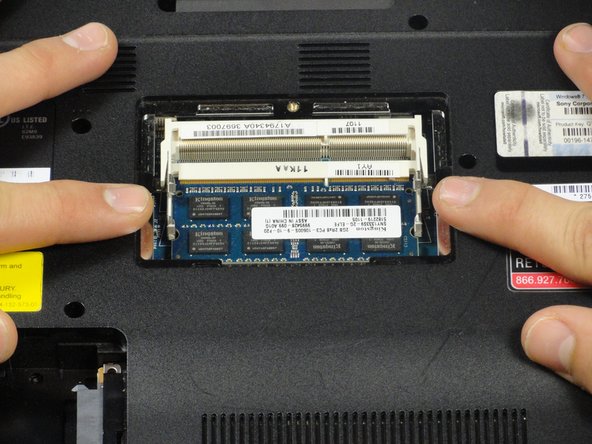
  5. Sony VAIO VPC-EB33FM RAM Replacement: 5 단계, 이미지 2개 중 1개 Sony VAIO VPC-EB33FM RAM Replacement: 5 단계, 이미지 2개 중 2개
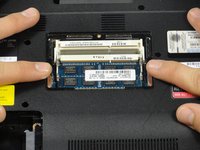
    • Pull the two retaining arms away from the center of the RAM chip.

    • The RAM will make a "pop" sound and the RAM stick will rise for ease of handling.

    댓글 쓰기

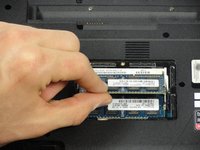
  6. Sony VAIO VPC-EB33FM RAM Replacement: 6 단계, 이미지 3개 중 1개 Sony VAIO VPC-EB33FM RAM Replacement: 6 단계, 이미지 3개 중 2개 Sony VAIO VPC-EB33FM RAM Replacement: 6 단계, 이미지 3개 중 3개
    • Pull the RAM stick out of its socket.

    • To remove the second stick of RAM, repeat steps six and seven.

    • When installing RAM, make sure sticks are firmly in place or the computer will not register them.

    댓글 쓰기

결론

To reassemble your device, follow these instructions in reverse order.

취소: 해당 안내서를 완성하지 않았습니다.

다른 한 분이 해당 안내서를 완성하였습니다.

작성자

5다른 기여자 명과 함께

Bret Omsberg

회원 가입일: 01/14/13

16 평판

안내서 1개를 작성함

Cal Poly, Team 18-39, Regan Winter 2013 Cal Poly, Team 18-39, Regan Winter 2013 회원

CPSU-REGAN-W13S18G39

5 회원들

안내서 15개를 작성함

1가이드 댓글

when i press the power button in VAio still black screen with little tick sound,

and one day i just turn it on and leave it for 17 hours and sadnlley it worked but when i tried to restart it it still not working with tick tick tick tick sound !!! any advise !!!?

dorii135 - 답글 공유

댓글 쓰기

조회 통계:

지난 24시간: 4

지난 7일: 10

지난 30일: 44

전체 시간: 4,711