주요 콘텐츠로 건너뛰기
수리 커뮤니티 가입 - 계정 만들기

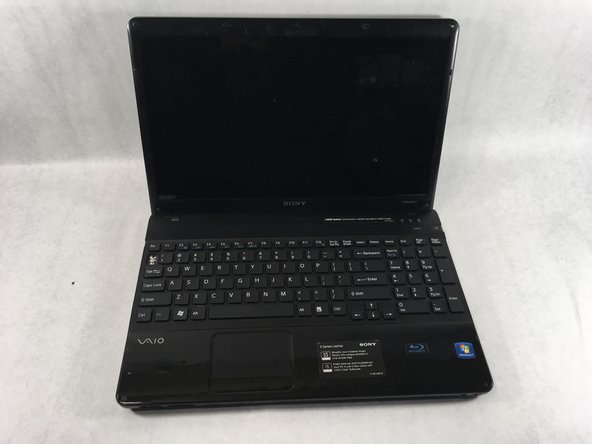
Sony VAIO VPCEE26FX Keyboard Replacement

필요한 것

  1. Sony VAIO VPCEE26FX Keyboard Replacement, Battery: 1 단계, 이미지 2개 중 1개 Sony VAIO VPCEE26FX Keyboard Replacement, Battery: 1 단계, 이미지 2개 중 2개
    • Ensure that the laptop is powered off before disconnecting the battery.

    • Flip the laptop over so the underside of the laptop is facing up.

  2. Sony VAIO VPCEE26FX Keyboard Replacement: 2 단계, 이미지 2개 중 1개 Sony VAIO VPCEE26FX Keyboard Replacement: 2 단계, 이미지 2개 중 2개
    • Slide the two tabs towards each other until the battery disconnects slightly from its position.

    • Carefully lift the battery out of its position away from the laptop.

    • The battery is not pictured here, since it is missing from this particular device.

  3. Sony VAIO VPCEE26FX Keyboard Replacement, Keyboard: 3 단계, 이미지 2개 중 1개 Sony VAIO VPCEE26FX Keyboard Replacement, Keyboard: 3 단계, 이미지 2개 중 2개
    • Flip the laptop back over so it is face up.

    • Open up the laptop.

  4. Sony VAIO VPCEE26FX Keyboard Replacement: 4 단계, 이미지 1개 중 1개
    • Using a plastic opening tool, pry along the seam between the keyboard and case to help in separating the two.

    • Continue to lift up gently using the plastic opening tool until the keyboard begins to separate from the case.

  5. Sony VAIO VPCEE26FX Keyboard Replacement: 5 단계, 이미지 2개 중 1개 Sony VAIO VPCEE26FX Keyboard Replacement: 5 단계, 이미지 2개 중 2개
    • Continue lifting up and moving down starting on the left side of the keyboard moving towards the right side of the computer.

  6. Sony VAIO VPCEE26FX Keyboard Replacement: 6 단계, 이미지 2개 중 1개 Sony VAIO VPCEE26FX Keyboard Replacement: 6 단계, 이미지 2개 중 2개
    이 단계에 사용된 도구:
    Tweezers
    $4.99
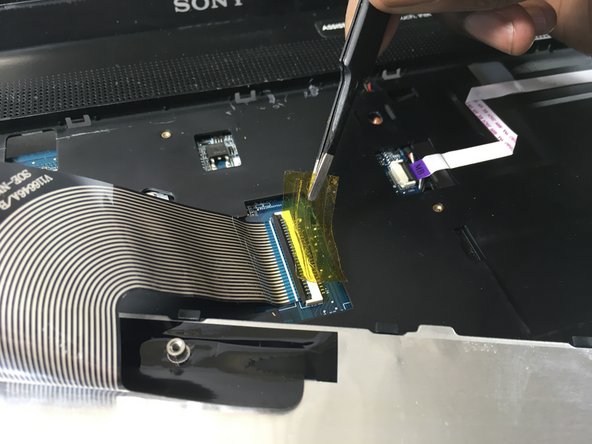
    • Carefully tilt the top of the keyboard towards you ensuring the ribbon cable is not under too much tension.

    • Use a pair of tweezers to help remove the plastic adhesive film covering the adapter/port for the ribbon cable.

  7. Sony VAIO VPCEE26FX Keyboard Replacement: 7 단계, 이미지 1개 중 1개
  8. Sony VAIO VPCEE26FX Keyboard Replacement: 8 단계, 이미지 1개 중 1개
    • Lift the keyboard up and away from the computer.

결론

To reassemble your device, follow these instructions in reverse order.

작성자

3다른 기여자 명과 함께

Christopher Hover

회원 가입일: 03/21/19

679 평판

안내서 5개를 작성함

UMass Dartmouth, Team S2-G3, Bailey Spring 2019 UMass Dartmouth, Team S2-G3, Bailey Spring 2019 회원

UMASSD-BAILEY-S19S2G3

3 회원들

안내서 10개를 작성함

0가이드 댓글

댓글 쓰기

조회 통계:

지난 24시간: 2

지난 7일: 12

지난 30일: 30

전체 시간: 1,393