주요 콘텐츠로 건너뛰기
수리 커뮤니티 가입 - 계정 만들기

Sony Vaio PCG-F360 Floppy Drive Replacement

  1. Sony Vaio PCG-F360 Floppy Drive Replacement, Battery: 1 단계, 이미지 1개 중 1개
    • Position the laptop screen-side down as shown.

    • In this position the battery housing will be located on the right hand side.

  2. Sony Vaio PCG-F360 Floppy Drive Replacement: 2 단계, 이미지 1개 중 1개
    • Lift the panel up and then out to gain access to the battery.

  3. Sony Vaio PCG-F360 Floppy Drive Replacement: 3 단계, 이미지 1개 중 1개
    • Use the indentations to pull the old battery out.

  4. Sony Vaio PCG-F360 Floppy Drive Replacement: 4 단계, 이미지 1개 중 1개
    • The battery is now removed and it is safe to move on to uninstalling other components.

  5. Sony Vaio PCG-F360 Floppy Drive Replacement, Floppy Drive: 5 단계, 이미지 2개 중 1개 Sony Vaio PCG-F360 Floppy Drive Replacement, Floppy Drive: 5 단계, 이미지 2개 중 2개
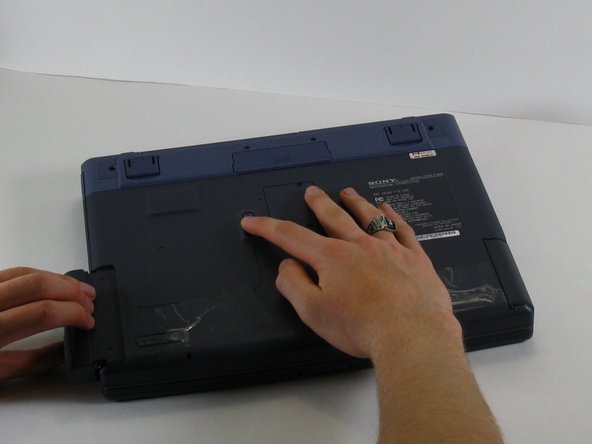
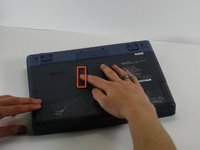
    • With one hand slide and hold the tab shown.

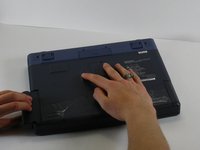
    • With your other hand, pull the floppy drive out of the floppy drive bay.

    • To replace the floppy drive, simply slide the drive into the slot until it clicks.

결론

To reassemble your device, follow these instructions in reverse order.

작성자

6다른 기여자 명과 함께

ahintz

회원 가입일: 04/21/10

28 평판

안내서 8개를 작성함

Cal Poly, Team 16-3, Maness Spring 2010 Cal Poly, Team 16-3, Maness Spring 2010 회원

CPSU-MANESS-S10S16G3

3 회원들

안내서 8개를 작성함

0가이드 댓글

댓글 쓰기

조회 통계:

지난 24시간: 3

지난 7일: 13

지난 30일: 56

전체 시간: 3,051