주요 콘텐츠로 건너뛰기
수리 커뮤니티 가입 - 계정 만들기

Swagtron T3 Gyroscope Replacement

필요한 것

  1. Swagtron T3 Gyroscope Replacement, Cover: 1 단계, 이미지 2개 중 1개 Swagtron T3 Gyroscope Replacement, Cover: 1 단계, 이미지 2개 중 2개
    • Make sure the hoverboard is completely powered off and unplugged from any outlets.

    • Flip the Swagtron so that the footpads are facing the ground.

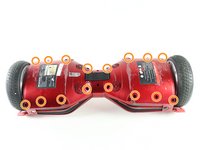
    • Unscrew the sixteen 9.4 mm Phillips #1 machine screws on the side of the Swagtron that is now facing upwards.

    댓글 쓰기

  2. Swagtron T3 Gyroscope Replacement: 2 단계, 이미지 3개 중 1개 Swagtron T3 Gyroscope Replacement: 2 단계, 이미지 3개 중 2개 Swagtron T3 Gyroscope Replacement: 2 단계, 이미지 3개 중 3개
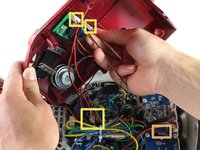
    • Be careful with the small blue capacitors indicated by the orange box. There are many of these capacitors in the device.

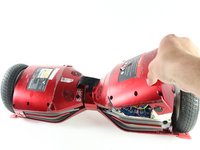
    • Slowly lift the backside cover.

    • Both sides lift up the same way, but the motherboard is under one side and the battery is under the other.

    • Detach the four cables connected to the cover by pinching the connector clips and pulling the cables out:

    • Three cables on the motherboard side.

    • Two red cables with white connectors and one white cable with a white connector.

    • One yellow cable with a black connector on the battery side.

    • After detachment, you should be able to completely remove the backside cover.

    댓글 쓰기

  3. Swagtron T3 Gyroscope Replacement, Gyroscope: 3 단계, 이미지 1개 중 1개
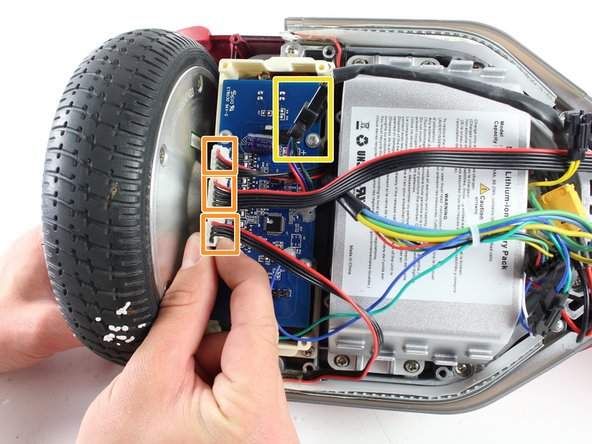
    • The gyroscope is a blue rectangular circuit board on top of a white base and is closest to the wheel.

    • Detach the four cables connecting the gyroscope to the hoverboard by pinching the connector clips and pulling the cables out:

    • Three red and black cables with white connectors.

    • One multicolored cable with a black connector.

    댓글 쓰기

  4. Swagtron T3 Gyroscope Replacement: 4 단계, 이미지 1개 중 1개
    • Uncrew the four 7.2 mm Phillips #1 self-drilling screws connecting the blue gyroscope to the white plastic holding piece.

    댓글 쓰기

  5. Swagtron T3 Gyroscope Replacement: 5 단계, 이미지 2개 중 1개 Swagtron T3 Gyroscope Replacement: 5 단계, 이미지 2개 중 2개
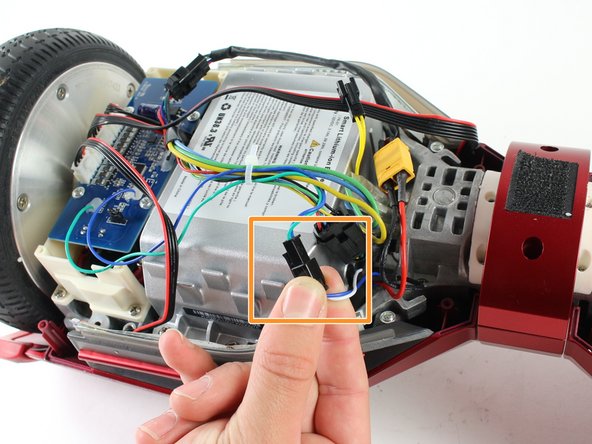
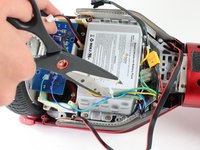
    • Cut the plastic cable tie holding the cables together with utility scissors.

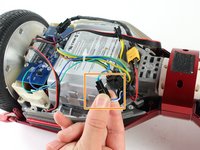
    • Disconnect the blue/green cable from the blue/white cable by pinching the connector clips and pulling the cables apart.

    댓글 쓰기

  6. Swagtron T3 Gyroscope Replacement: 6 단계, 이미지 1개 중 1개
    • Gently lift the blue gyroscope off of the white plastic holder piece.

    • After reassembling the Swagtron with the new gyroscope, check to make sure your Swagtron is balancing properly.

    • If it is still unbalanced, repeat all steps in this guide with the gyroscope by the other wheel.

    댓글 쓰기

결론

To reassemble your device, follow these instructions in reverse order.

취소: 해당 안내서를 완성하지 않았습니다.

다른 3명이 해당 안내서를 완성하였습니다.

작성자

4다른 기여자 명과 함께

Emily Richter

회원 가입일: 04/10/17

351 평판

안내서 1개를 작성함

Cal Poly, Team S13-G3, Forte Spring 2017 Cal Poly, Team S13-G3, Forte Spring 2017 회원

CPSU-FORTE-S17S13G3

4 회원들

안내서 4개를 작성함

3가이드 댓글

Where can one buy the new gyroscope?

Mike - 답글 공유

Where is the best place to buy the gyroscope for the T3?

I see Ebay sells complete kits with motherboards and all.

Are they compatible?

Mike - 답글 공유

where can I buy new gyroscope

roccovalletta - 답글 공유

댓글 쓰기

조회 통계:

지난 24시간: 2

지난 7일: 6

지난 30일: 54

전체 시간: 5,472