주요 콘텐츠로 건너뛰기
수리 커뮤니티 가입 - 계정 만들기

TomTom GO 500 Motherboard Replacement

필요한 것

  1. TomTom GO 500 Motherboard Replacement, TomTom GO 500 Opening the Device: 1 단계, 이미지 1개 중 1개
    • Unscrew the two 3mm screws at the base of the device using the Torx T5 screwdriver.

  2. TomTom GO 500 Motherboard Replacement: 2 단계, 이미지 2개 중 1개 TomTom GO 500 Motherboard Replacement: 2 단계, 이미지 2개 중 2개
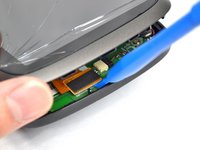
    • Using the plastic opening tools, insert one opening tool into the gap between the screen casing and the motherboard casing. Then insert the other tool into one of the adjacent sides and slide it around the top.

    • There are 14 latches that need to be undone.

    • The latches break easily during the opening process so we recommend purchasing a new screen casing if they break.

  3. TomTom GO 500 Motherboard Replacement: 3 단계, 이미지 1개 중 1개
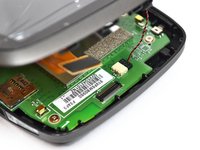
    • With the screen casing unlatched, locate the right side where the two connectors are.

  4. TomTom GO 500 Motherboard Replacement: 4 단계, 이미지 3개 중 1개 TomTom GO 500 Motherboard Replacement: 4 단계, 이미지 3개 중 2개 TomTom GO 500 Motherboard Replacement: 4 단계, 이미지 3개 중 3개
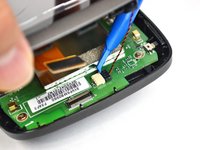
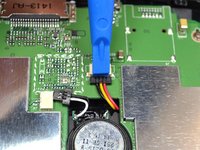
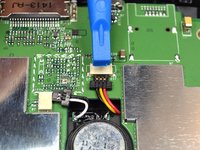
    • Unlatch the connectors using the plastic opening tool.

    • The orange rectangular connector may have come off in the process of removing the screen casing.

  5. TomTom GO 500 Motherboard Replacement: 5 단계, 이미지 2개 중 1개 TomTom GO 500 Motherboard Replacement: 5 단계, 이미지 2개 중 2개
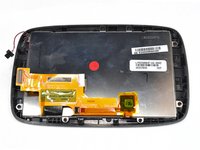
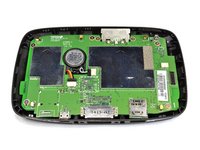
    • Separate the screen casing from the motherboard casing.

  6. TomTom GO 500 Motherboard Replacement, Motherboard: 6 단계, 이미지 1개 중 1개
    • Unscrew the five 4mm screws using the Phillips #0 screwdriver.

  7. TomTom GO 500 Motherboard Replacement: 7 단계, 이미지 2개 중 1개 TomTom GO 500 Motherboard Replacement: 7 단계, 이미지 2개 중 2개
    이 단계에 사용된 도구:
    Tweezers
    $4.99
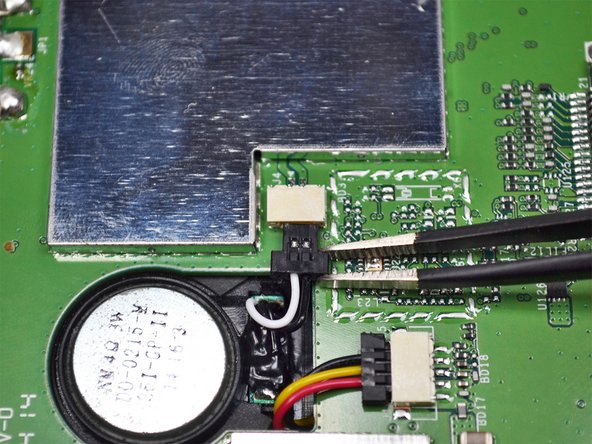
    • Unplug the connector shown near the center of the motherboard using the tweezers.

  8. TomTom GO 500 Motherboard Replacement: 8 단계, 이미지 2개 중 1개 TomTom GO 500 Motherboard Replacement: 8 단계, 이미지 2개 중 2개
    • Unplug the second connector using the plastic opening tool.

  9. TomTom GO 500 Motherboard Replacement: 9 단계, 이미지 2개 중 1개 TomTom GO 500 Motherboard Replacement: 9 단계, 이미지 2개 중 2개
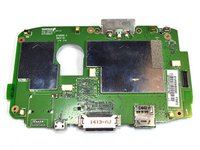
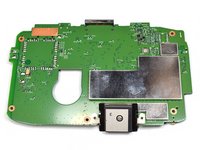
    • Remove the motherboard from the casing.

결론

To reassemble your device, follow these instructions in reverse order.

다른 4명이 해당 안내서를 완성하였습니다.

작성자

3다른 기여자 명과 함께

jkl

회원 가입일: 09/22/16

522 평판

안내서 2개를 작성함

UC Davis, Team 2-5, Oliver Fall 2016 UC Davis, Team 2-5, Oliver Fall 2016 회원

UCD-OLIVER-F16S2G5

5 회원들

안내서 9개를 작성함

2가이드 댓글

Hallo, wer repariert ein TomTom GO 5200? Ich habe den Akku erneuert und dabei ist der Verriegelungsstecker von der Platine zum Display (Folienstecker mit vielen Leiterbahnen) abgebrochen, sodass die Folie nicht mehr richtig eingespannt ist und das Display am Ende weiß bleibt oder mit bunten Strichen versehen ist. Wer repariert so was und was würde es kosten?

Gruß,

Reinhold

RENALDOAGG - 답글 공유

Hallo

Wo kann man für Tomtom Go500 Hauptplatine bestellen?

Pitbul77 - 답글 공유

댓글 쓰기

조회 통계:

지난 24시간: 3

지난 7일: 11

지난 30일: 41

전체 시간: 2,422