주요 콘텐츠로 건너뛰기

Trio AXS 3G Screen Replacement

필요한 것

  1. Trio AXS 3G Screen Replacement, Back Case: 1 단계, 이미지 1개 중 1개
    • On the back of the device there is a white SD card case that shelters the screws that attach the back panel to the tablet.

    • Use your thumbs to slide up and off the small SD card case.

  2. Trio AXS 3G Screen Replacement: 2 단계, 이미지 2개 중 1개 Trio AXS 3G Screen Replacement: 2 단계, 이미지 2개 중 2개
    • Using the Phillips Head #000, unscrew the 5 4mm and 3mm screws at the top.

  3. Trio AXS 3G Screen Replacement: 3 단계, 이미지 1개 중 1개
    • Insert a plastic opening tool between the back panel and the front of the tablet, and gently pry it away from the tablet.

    • Do not pry too hard as the screen is fragile and might crack.

    • It is best to start at the bottom of the tablet when prying the back panel off.

    • The volume piece will also dislodge when the back panel is removed.

  4. Trio AXS 3G Screen Replacement, Screen: 4 단계, 이미지 1개 중 1개
    • The motherboard and battery will have to be removed to expose the metal panel underneath.

  5. Trio AXS 3G Screen Replacement: 5 단계, 이미지 1개 중 1개
    이 단계에 사용된 도구:
    Plastic Cards
    $2.99
    • Use the plastic card to pry the battery away from the device.

    • The battery is attached to the tablet by glue.

  6. Trio AXS 3G Screen Replacement: 6 단계, 이미지 1개 중 1개
    • Peel off the battery from the device and set aside.

    • The battery is connected to the motherboard by two wires. Be careful not to sever the connection.

  7. Trio AXS 3G Screen Replacement: 7 단계, 이미지 1개 중 1개
    • Using a #000 screwdriver, unscrew the five 4mm and 3 mm screws connecting the top portion of the motherboard to the device.

  8. Trio AXS 3G Screen Replacement: 8 단계, 이미지 1개 중 1개
    • Disconnect the silver tape that attaches the motherboard to the metal panel.

  9. Trio AXS 3G Screen Replacement: 9 단계, 이미지 1개 중 1개
    • Disconnect the ribbon from the bottom portion of the motherboard.

  10. Trio AXS 3G Screen Replacement: 10 단계, 이미지 1개 중 1개
    • Remove the motherboard and set aside.

  11. Trio AXS 3G Screen Replacement: 11 단계, 이미지 1개 중 1개
    • The smaller portion of the motherboard is located at the bottom with the speaker.

    • Using a #000 screwdriver, unscrew the three 3 mm screws that fasten the smaller segment of the motherboard to the tablet.

  12. Trio AXS 3G Screen Replacement: 12 단계, 이미지 2개 중 1개 Trio AXS 3G Screen Replacement: 12 단계, 이미지 2개 중 2개
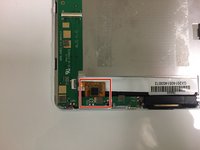
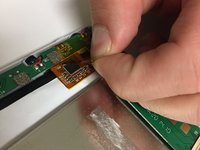
    • Located towards the bottom, carefully remove the yellow film.

  13. Trio AXS 3G Screen Replacement: 13 단계, 이미지 1개 중 1개
    • Gently disconnect the small ribbon found underneath the film.

  14. Trio AXS 3G Screen Replacement: 14 단계, 이미지 1개 중 1개
    • There is another connection found underneath this portion of the motherboard.

    • Lifting up the motherboard, disconnect the second ribbon found underneath.

  15. Trio AXS 3G Screen Replacement: 15 단계, 이미지 1개 중 1개
    • Unscrew the two 4 mm #000 screws.

  16. Trio AXS 3G Screen Replacement: 16 단계, 이미지 1개 중 1개
    • Remove the speaker and bottom portion of the motherboard.

  17. Trio AXS 3G Screen Replacement: 17 단계, 이미지 1개 중 1개
    • At this stage, almost all inside components should be removed (as shown).

    • Using a screwdriver size #000, remove the four 4 mm screws found at each corner of the metal panel if you haven't gotten them already.

  18. Trio AXS 3G Screen Replacement: 18 단계, 이미지 3개 중 1개 Trio AXS 3G Screen Replacement: 18 단계, 이미지 3개 중 2개 Trio AXS 3G Screen Replacement: 18 단계, 이미지 3개 중 3개
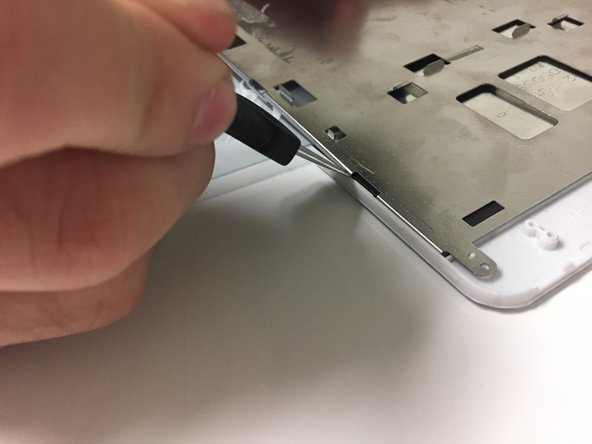
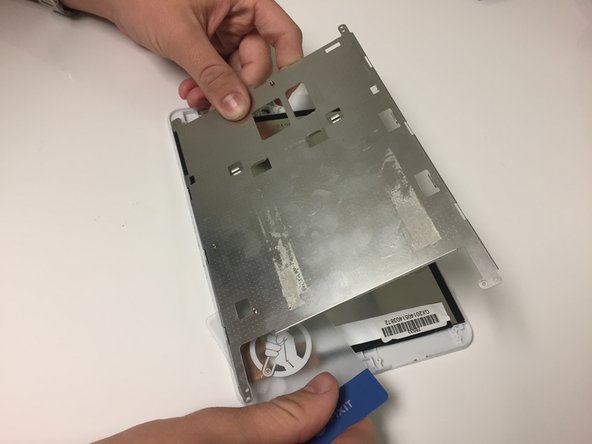
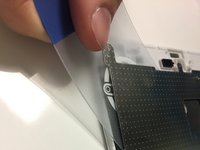
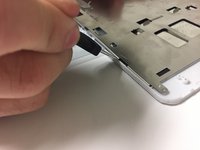
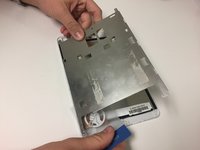
    • Use the plastic card to separate the metal panel from the screen component.

  19. Trio AXS 3G Screen Replacement: 19 단계, 이미지 1개 중 1개
    • Separate memory card from screen.

  20. Trio AXS 3G Screen Replacement: 20 단계, 이미지 2개 중 1개 Trio AXS 3G Screen Replacement: 20 단계, 이미지 2개 중 2개
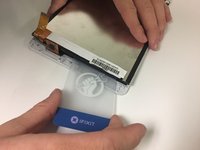
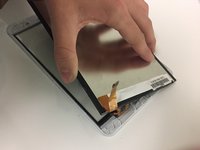
    • Use the plastic card to separate screen component from front panel.

  21. Trio AXS 3G Screen Replacement: 21 단계, 이미지 1개 중 1개
    • Use the plastic card to separate the glass from the front panel.

    • Once the glass is removed, the new glass can be fitted to the front panel.

결론

To reassemble your device, follow these instructions in reverse order.

작성자

3다른 기여자 명과 함께

Michaela Causey

회원 가입일: 09/20/17

328 평판

안내서 3개를 작성함

0가이드 댓글

댓글 쓰기

조회 통계:

지난 24시간: 0

지난 7일: 1

지난 30일: 9

전체 시간: 1,118