소개
This guide is designed to help you replace the shoulder buttons on your REACT-R, which is critical for performing specific actions in many games. If your shoulder buttons are sticky, unresponsive, or have stopped working altogether, a replacement might be necessary to restore optimal functionality.
Follow these step-by-step instructions to replace the shoulder buttons and ensure your controller performs like new again. You'll need a Phillips #00 screwdriver for this task.
필요한 것
-
-
Place the controller face down.
-
Use a Phillips #00 screwdriver to remove the seven 9.2 mm Phillips screws that secure the rear case.
-
Use both hands to lift the backplate away from the controller.
 FixBot에 문의하기
-
-
-
-
Use a Phillips #00 to remove the four 9.2 mm screws that secure the motherboard.
-
Gently lift the motherboard up and out of the chassis.
-
-
-
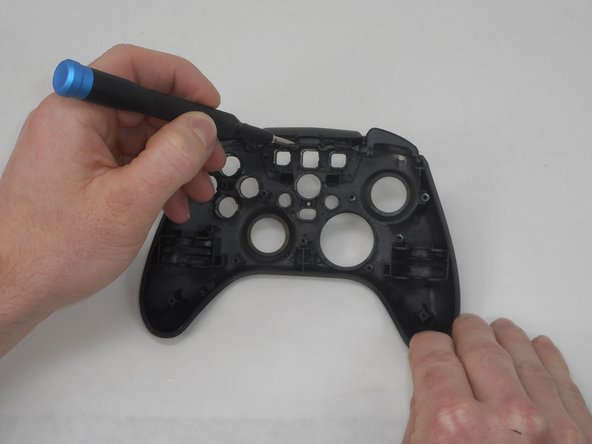
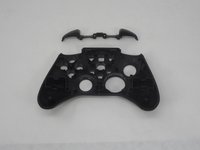
Use a Phillips screwdriver to remove the two 9.2 mm screws that secure the right and left bumpers to the face plate.
-
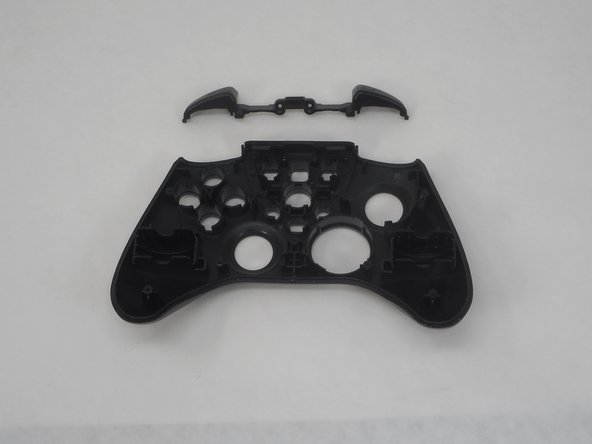
Gently remove each bumper from the faceplate.
-


To reassemble your device, follow these instructions in reverse order.

팀

University of Memphis, Team 1-5, Sneed Spring 2024 University of Memphis, Team 1-5, Sneed Spring 2024 회원
UM-SNEED-S24S1G5
4 회원들
안내서 6개를 작성함
