주요 콘텐츠로 건너뛰기
수리 커뮤니티 가입 - 계정 만들기

Verizon Ellipsis Jetpack MHS800L Screen Replacement

필요한 것

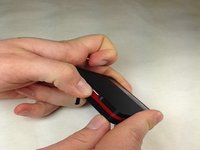
    1. Verizon Ellipsis Jetpack MHS800L Screen Replacement, Plastic Case: 1 단계, 이미지 3개 중 1개 Verizon Ellipsis Jetpack MHS800L Screen Replacement, Plastic Case: 1 단계, 이미지 3개 중 2개 Verizon Ellipsis Jetpack MHS800L Screen Replacement, Plastic Case: 1 단계, 이미지 3개 중 3개
      • Remove the SIM card, that is located on top of the Jetpack.

      댓글 쓰기

    2. Verizon Ellipsis Jetpack MHS800L Screen Replacement: 2 단계, 이미지 3개 중 1개 Verizon Ellipsis Jetpack MHS800L Screen Replacement: 2 단계, 이미지 3개 중 2개 Verizon Ellipsis Jetpack MHS800L Screen Replacement: 2 단계, 이미지 3개 중 3개
      이 단계에 사용된 도구:
      Phillips #00 Screwdriver
      $5.49
      • With the device on its back and the label facing you, remove the rubber screw cover on the top left corner of the device.

      • Under the rubber circle, remove the 1.25 mm screw using a Phillips #00 Screwdriver.

      • You may need to peel back a piece of double sided tape covering the screw hole.

      댓글 쓰기

    3. Verizon Ellipsis Jetpack MHS800L Screen Replacement: 3 단계, 이미지 1개 중 1개
      • Remove three 1.25 mm screws.

      댓글 쓰기

    4. Verizon Ellipsis Jetpack MHS800L Screen Replacement: 4 단계, 이미지 1개 중 1개
      이 단계에 사용된 도구:
      iFixit Opening Picks (Set of 6)
      $4.95

      댓글 쓰기

    5. Verizon Ellipsis Jetpack MHS800L Screen Replacement: 5 단계, 이미지 1개 중 1개
      • Once the cover is off, this is what your device will look like.

      댓글 쓰기

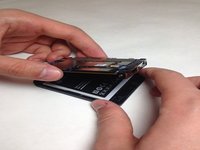
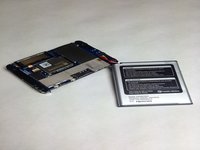
    1. Verizon Ellipsis Jetpack MHS800L Screen Replacement, Battery: 6 단계, 이미지 2개 중 1개 Verizon Ellipsis Jetpack MHS800L Screen Replacement, Battery: 6 단계, 이미지 2개 중 2개
      • Once you have the case off of your device gently pull your battery away from the device.

      • Do not attempt to completely remove the battery, as it is still attached to the motherboard by wires.

      댓글 쓰기

    2. Verizon Ellipsis Jetpack MHS800L Screen Replacement: 7 단계, 이미지 2개 중 1개 Verizon Ellipsis Jetpack MHS800L Screen Replacement: 7 단계, 이미지 2개 중 2개
      이 단계에 사용된 도구:
      Tweezers
      $4.99
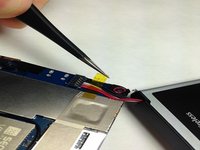
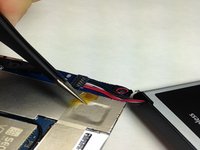
      • With a pair of Tweezers remove the yellow tape covering the battery wires.

      댓글 쓰기

    3. Verizon Ellipsis Jetpack MHS800L Screen Replacement: 8 단계, 이미지 1개 중 1개
      이 단계에 사용된 도구:
      Tweezers
      $4.99
      • After removing the tape you may use the Tweezers to remove the wiring harness from the circuit board.

      • Do not squeeze the wires to hard you may damage them and cause a short.

      댓글 쓰기

    4. Verizon Ellipsis Jetpack MHS800L Screen Replacement: 9 단계, 이미지 1개 중 1개
      • You may now replace the battery in your Verizon Ellipsis Jetpack MHS800L.

      댓글 쓰기

    1. Verizon Ellipsis Jetpack MHS800L Screen Replacement, Screen: 10 단계, 이미지 3개 중 1개 Verizon Ellipsis Jetpack MHS800L Screen Replacement, Screen: 10 단계, 이미지 3개 중 2개 Verizon Ellipsis Jetpack MHS800L Screen Replacement, Screen: 10 단계, 이미지 3개 중 3개
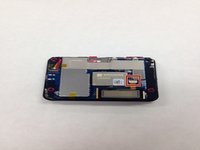
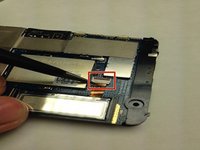
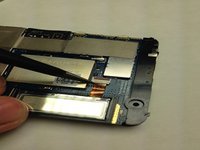
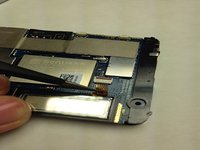
      • Locate the LCD screen cable and unlatch the harness connection form the circuit board.

      댓글 쓰기

    2. Verizon Ellipsis Jetpack MHS800L Screen Replacement: 11 단계, 이미지 2개 중 1개 Verizon Ellipsis Jetpack MHS800L Screen Replacement: 11 단계, 이미지 2개 중 2개
      이 단계에 사용된 도구:
      Tweezers
      $4.99
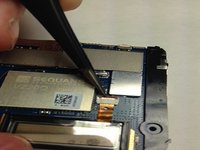
      • Using the Tweezers gently coax the display data cable out of circuit board connector.

      • Do not squeeze the display data cable to hard you may damage it and cause a short.

      댓글 쓰기

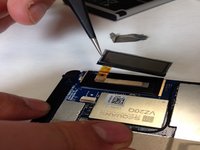
    3. Verizon Ellipsis Jetpack MHS800L Screen Replacement: 12 단계, 이미지 2개 중 1개 Verizon Ellipsis Jetpack MHS800L Screen Replacement: 12 단계, 이미지 2개 중 2개
      이 단계에 사용된 도구:
      Tweezers
      $4.99
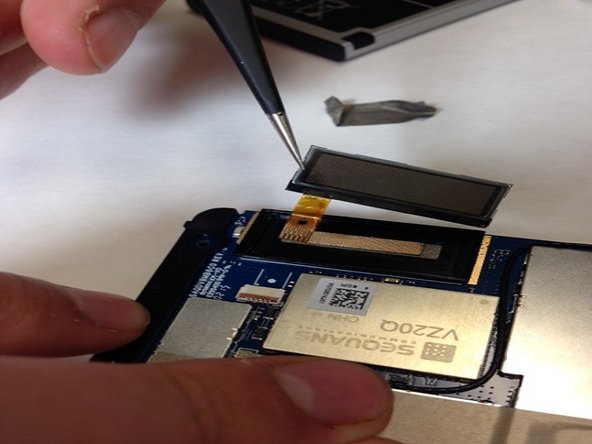
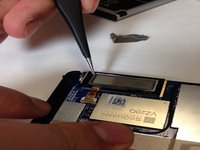
      • Gently insert the Tweezers underneath the LCD screen and lift the LCD screen off of the circuit board.

      댓글 쓰기

결론

To reassemble your device, follow these instructions in reverse order.

취소: 해당 안내서를 완성하지 않았습니다.

다른 한 분이 해당 안내서를 완성하였습니다.

작성자

5다른 기여자 명과 함께

Richard J Porras

회원 가입일: 01/23/16

504 평판

안내서 3개를 작성함

IUPUI, Team 3-3, Baechle Spring 2016 IUPUI, Team 3-3, Baechle Spring 2016 회원

IUPUI-BAECHLE-S16S3G3

4 회원들

안내서 6개를 작성함

0가이드 댓글

댓글 쓰기

조회 통계:

지난 24시간: 2

지난 7일: 4

지난 30일: 25

전체 시간: 2,499