주요 콘텐츠로 건너뛰기
수리 커뮤니티 가입 - 계정 만들기

Wen 2307 Power Cable Replacement

필요한 것

  1. Wen 2307 Power Cable Replacement, Front Panel: 1 단계, 이미지 1개 중 1개
    • Unscrew the locking sleeve.

  2. Wen 2307 Power Cable Replacement: 2 단계, 이미지 1개 중 1개
    • Remove the hanging clip.

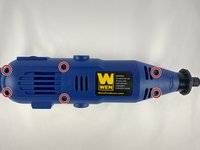
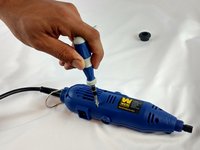
  3. Wen 2307 Power Cable Replacement: 3 단계, 이미지 2개 중 1개 Wen 2307 Power Cable Replacement: 3 단계, 이미지 2개 중 2개
    • Unscrew the six 8mm PH2 screws.

  4. Wen 2307 Power Cable Replacement: 4 단계, 이미지 1개 중 1개
    • While pressing the spindle lock button, unscrew the collet nut and remove it along with the brass collet.

  5. Wen 2307 Power Cable Replacement: 5 단계, 이미지 1개 중 1개
    • To remove the front panel, pry the device apart while holding the device with the other hand.

    • The front panel should come out easily.

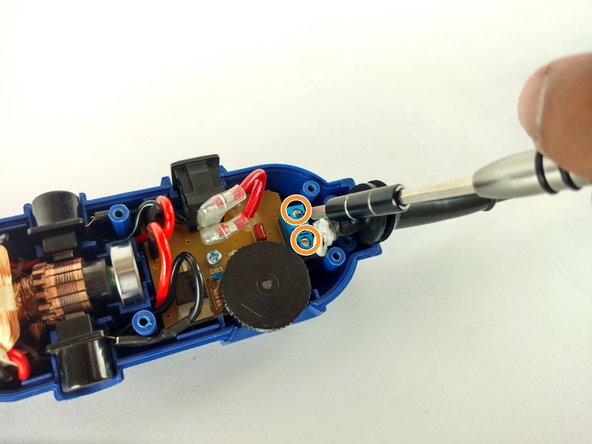
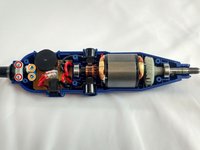
  6. Wen 2307 Power Cable Replacement, Power Cable: 6 단계, 이미지 2개 중 1개 Wen 2307 Power Cable Replacement, Power Cable: 6 단계, 이미지 2개 중 2개
    • Identify the screws.

    • Unscrew the two 3mm phillips PH2.

    • Don't forget to put them appart from the ones unscrewed before.

    • Don't forget to put them appart from the ones unscrewed before.

    • Phillips PH2

    • Flathead 2.5mm

  7. Wen 2307 Power Cable Replacement: 7 단계, 이미지 1개 중 1개
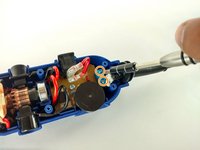
    • Remove the place boar carefully.

  8. Wen 2307 Power Cable Replacement: 8 단계, 이미지 1개 중 1개
    • Pull out the power cable connectors.

  9. Wen 2307 Power Cable Replacement: 9 단계, 이미지 1개 중 1개
    • Pull out the cord sleve for the new cable replacement.

결론

To reassemble your device, follow these instructions in reverse order.

작성자

4다른 기여자 명과 함께

Sergio Palacio

회원 가입일: 02/08/16

458 평판

안내서 2개를 작성함

USF Tampa, Team 12-1, Eyestone Spring 2016 USF Tampa, Team 12-1, Eyestone Spring 2016 회원

USFT-EYESTONE-S16S12G1

4 회원들

안내서 6개를 작성함

0가이드 댓글

댓글 쓰기

조회 통계:

지난 24시간: 0

지난 7일: 2

지난 30일: 9

전체 시간: 654