소개
This is the teardown for a Clamcase for iPad 2.
필요한 것
-
-
Open the case and unpeel the 2 black stickers in the top corners of the keyboard.
-
This will reveal the 6 screws that attach the upper cover to the keyboard cover.
 FixBot에 문의하기
-
-
-
Use the T9 Torx screwdriver to unscrew the 2 bigger screws in the middle of each side.
-
Use the T6 Torx screwdriver to unscrew the remaining 4 screws.
-
-
-
-
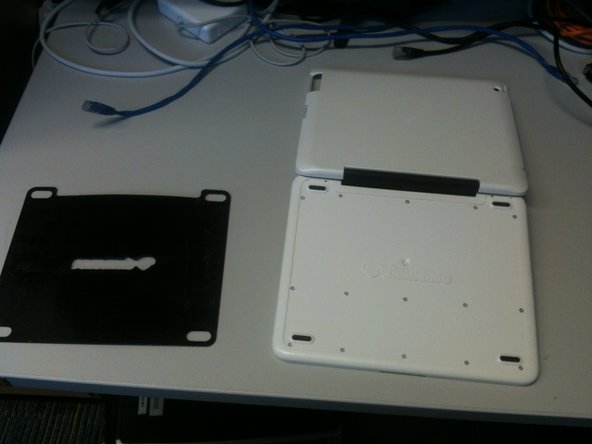
Turn the keyboard cover over so the bottom is facing up. Manually remove the thin black covering that is attached to the bottom.
-
Be patient, the thin black covering might be really stuck to the bottom.
-
-
-
Once the thin black covering is removed, you will see 15 screws.
-
Use the T6 Torx screwdriver to remove the screws.
-
-
-
Once the screws are removed, lift off the bottom panel to access the keyboard and battery.
-





2가이드 댓글
Awesome! I used this guide to disassemble my clam case and repair some nonfunctional keys. Thanks!
justin duff - 답글 공유
Thanks for the dis-assembly guide. Justin, what did you have to do to fix the keys that were not working. I have on with a few keys not working, not even intermittently.
dick haynes - 답글 공유
