주요 콘텐츠로 건너뛰기
수리 커뮤니티 가입 - 계정 만들기

iPhone 14 Screen Protector Replacement

필요한 것

  1. iPhone 14 Screen Protector Replacement, Screen Protector: 1 단계, 이미지 1개 중 1개
    • Power the phone off.

  2. iPhone 14 Screen Protector Replacement: 2 단계, 이미지 2개 중 1개 iPhone 14 Screen Protector Replacement: 2 단계, 이미지 2개 중 2개
    • Remove the old screen protector.

  3. iPhone 14 Screen Protector Replacement: 3 단계, 이미지 1개 중 1개
    • Clean the phone screen.

  4. iPhone 14 Screen Protector Replacement: 4 단계, 이미지 1개 중 1개
    • Remove any dust with a dust removal sticker.

  5. iPhone 14 Screen Protector Replacement: 5 단계, 이미지 1개 중 1개
    • Peel off the screen protector adhesive film.

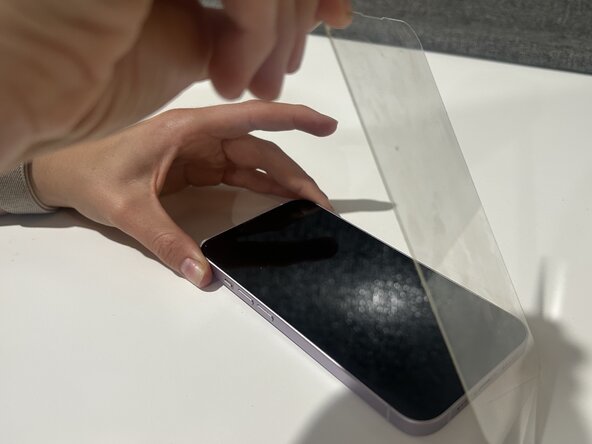
  6. iPhone 14 Screen Protector Replacement: 6 단계, 이미지 1개 중 1개
    • Carefully place new screen protector on the phone.

    • Ensure that all edges are properly aligned.

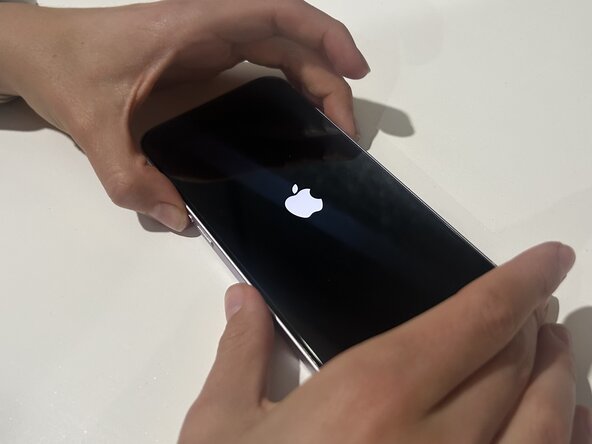
  7. iPhone 14 Screen Protector Replacement: 7 단계, 이미지 2개 중 1개 iPhone 14 Screen Protector Replacement: 7 단계, 이미지 2개 중 2개
    • Remove any air bubbles on the screen, then turn the phone back on.

결론

After following these steps you should be able to fix the screen protector on your iPhone 14!

다른 2명이 해당 안내서를 완성하였습니다.

작성자

1다른 기여자 명과 함께

Kaitlyn

회원 가입일: 03/12/25

201 평판

안내서 1개를 작성함

0가이드 댓글

댓글 쓰기

조회 통계:

지난 24시간: 3

지난 7일: 30

지난 30일: 142

전체 시간: 1,456