주요 콘텐츠로 건너뛰기
수리 커뮤니티 가입 - 계정 만들기
iPhone 16 Pro Battery Removal

단지 전제 조건
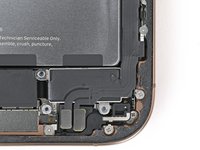
이 가이드는 전제 조건만을 다룹니다! 이 가이드는 다른 절차의 일부이며 단독으로 사용할 수 없습니다.

필요한 것

  1. iPhone 16 Pro Battery Removal, Prepare the phone for disassembly: 1 단계, 이미지 2개 중 1개 iPhone 16 Pro Battery Removal, Prepare the phone for disassembly: 1 단계, 이미지 2개 중 2개
    • Allow the phone's battery to drain below 25%, as a charged lithium-ion battery is a potential safety hazard.

    • Unplug any cables from the phone.

    • Hold the power and either volume buttons and slide to power off the phone.

  2. iPhone 16 Pro Battery Removal, Tape over any cracks: 2 단계, 이미지 2개 중 1개 iPhone 16 Pro Battery Removal, Tape over any cracks: 2 단계, 이미지 2개 중 2개
    • If the screen or back glass is badly cracked, lay overlapping strips of packing tape over the glass to protect yourself and make disassembly easier.

    • Make sure there's a smooth area near the bottom edge that's big enough for a suction cup to stick to.

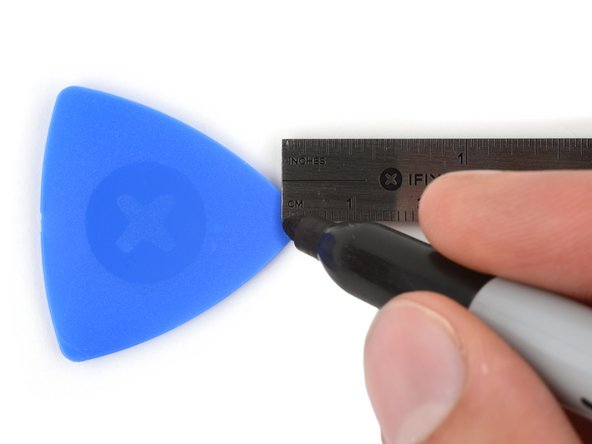
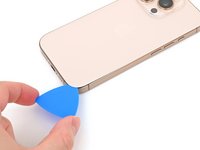
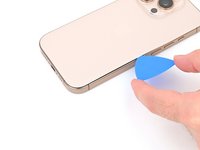
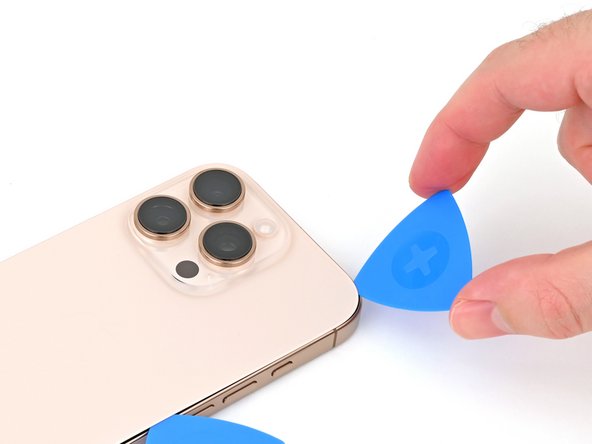
  3. iPhone 16 Pro Battery Removal, Mark your opening picks: 3 단계, 이미지 3개 중 1개 iPhone 16 Pro Battery Removal, Mark your opening picks: 3 단계, 이미지 3개 중 2개 iPhone 16 Pro Battery Removal, Mark your opening picks: 3 단계, 이미지 3개 중 3개
    • If inserted too far, an opening pick can damage your device. Follow this step to mark your pick and prevent damage.

    • Measure 3 mm from the tip and mark the opening pick with a permanent marker.

    • You can also mark the other corners of the pick with different measurements.

    • Alternatively, tape a coin to a pick 3 mm from the tip.

  4. iPhone 16 Pro Battery Removal, Remove the pentalobe screws: 4 단계, 이미지 2개 중 1개 iPhone 16 Pro Battery Removal, Remove the pentalobe screws: 4 단계, 이미지 2개 중 2개
    • Use a P2 pentalobe screwdriver to remove the two 7.4 mm‑long screws on either side of the USB-C port.

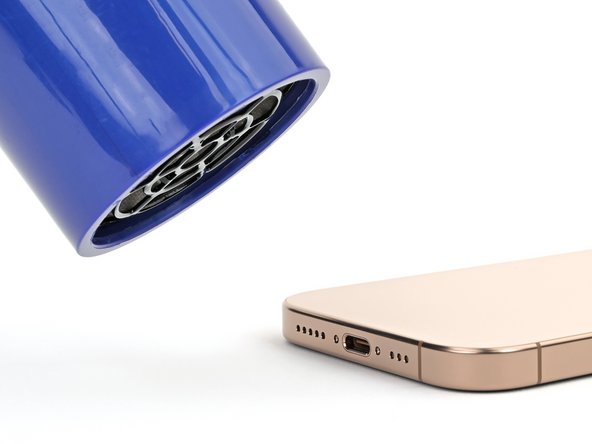
  5. iPhone 16 Pro Battery Removal, Heat the bottom edge: 5 단계, 이미지 2개 중 1개 iPhone 16 Pro Battery Removal, Heat the bottom edge: 5 단계, 이미지 2개 중 2개
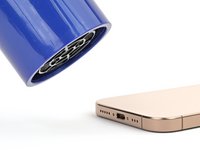
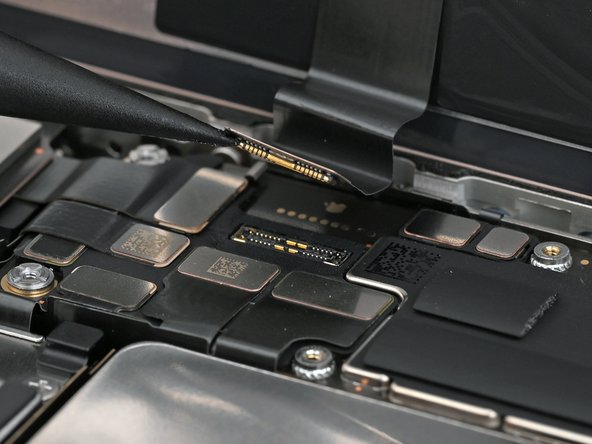
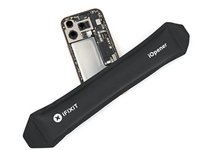
    • Apply a heated iOpener to the bottom edge of the back glass for two minutes.

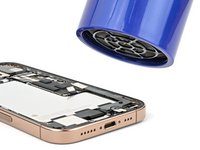
    • Alternatively, you can use a hair dryer or heat gun to heat the bottom edge of the back glass until it's hot to the touch.

    • Be careful not to heat the phone hotter than this—the battery is susceptible to heat damage.

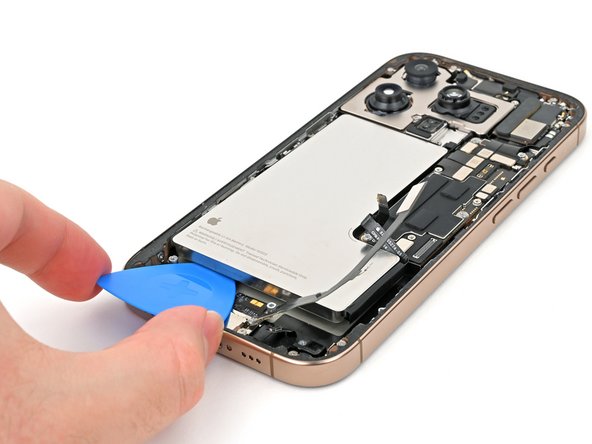
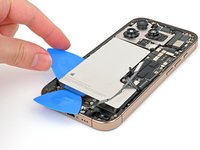
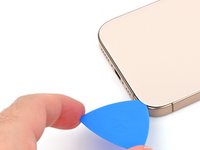
  6. iPhone 16 Pro Battery Removal, Insert an opening pick: 6 단계, 이미지 3개 중 1개 iPhone 16 Pro Battery Removal, Insert an opening pick: 6 단계, 이미지 3개 중 2개 iPhone 16 Pro Battery Removal, Insert an opening pick: 6 단계, 이미지 3개 중 3개
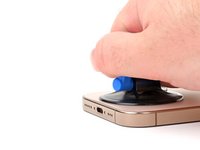
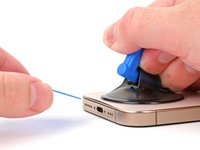
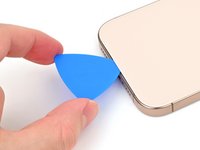
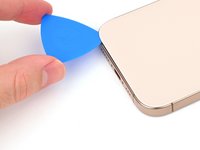
    • Apply a suction handle to the bottom edge of the back glass, above the USB-C port.

    • Pull up on the handle with a strong, steady force to create a gap between the back glass and the frame.

    • Insert the tip of an opening pick into the gap.

  7. iPhone 16 Pro Battery Removal, Back glass information: 7 단계, 이미지 2개 중 1개 iPhone 16 Pro Battery Removal, Back glass information: 7 단계, 이미지 2개 중 2개
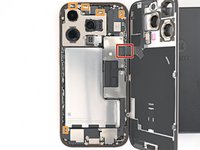
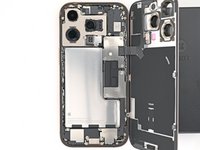
    • As you slice the adhesive securing the back glass in the next steps, be careful of the following areas:

    • There's a delicate cable connecting the back glass to the phone, right next to the volume up button. Don't insert your pick here to avoid slicing the cable.

    • There are multiple spring contacts around the perimeter of the phone. Be extra careful not to insert your pick deeper than suggested in each step to avoid bending these contacts.

    • If you damage the spring contacts, gently bend them back with a spudger or opening pick so they align with their gold contact pads on the back glass.

  8. iPhone 16 Pro Battery Removal, Separate the bottom edge adhesive: 8 단계, 이미지 3개 중 1개 iPhone 16 Pro Battery Removal, Separate the bottom edge adhesive: 8 단계, 이미지 3개 중 2개 iPhone 16 Pro Battery Removal, Separate the bottom edge adhesive: 8 단계, 이미지 3개 중 3개
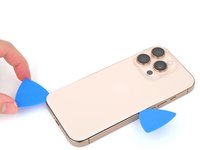
    • Don't insert your pick deeper than 5 mm on the bottom edge to avoid damaging the spring contact.

    • Slide your pick back and forth along the bottom edge to separate the adhesive.

    • Leave your pick inserted in the bottom right corner to prevent the adhesive from resealing.

  9. iPhone 16 Pro Battery Removal, Heat the right edge: 9 단계, 이미지 1개 중 1개
    • Heat the right edge of the back glass until it's hot to the touch.

  10. iPhone 16 Pro Battery Removal, Separate the bottom right corner adhesive: 10 단계, 이미지 2개 중 1개 iPhone 16 Pro Battery Removal, Separate the bottom right corner adhesive: 10 단계, 이미지 2개 중 2개
    • Slide your pick around the bottom right corner and halfway up the right edge, or until you feel a hard stop at a clip securing the back glass.

    • Don't slice near the volume buttons to avoid damaging the wireless charging/flash cable.

    • Leave this pick inserted to prevent the adhesive from resealing.

  11. iPhone 16 Pro Battery Removal, Heat the left edge: 11 단계, 이미지 1개 중 1개
    • Heat the left edge of the back glass until it's hot to the touch.

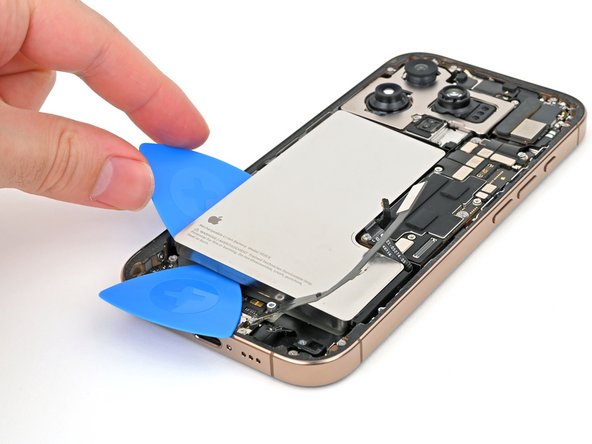
  12. iPhone 16 Pro Battery Removal, Separate the left edge adhesive: 12 단계, 이미지 2개 중 1개 iPhone 16 Pro Battery Removal, Separate the left edge adhesive: 12 단계, 이미지 2개 중 2개
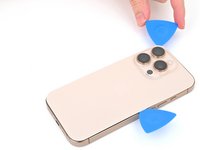
    • Insert a second opening pick at the bottom edge.

    • Slide the second pick around the bottom left corner and along the left edge of the screen to separate the adhesive and release the metal clips.

    • You'll hear and feel the metal clips release as you pass them.

    • Leave this pick inserted at the top left corner to prevent the adhesive from resealing.

  13. iPhone 16 Pro Battery Removal, Heat the top edge: 13 단계, 이미지 1개 중 1개
    • Heat the top edge of the back glass, including the area around the volume buttons, until it's hot to the touch.

  14. iPhone 16 Pro Battery Removal, Separate the top edge adhesive: 14 단계, 이미지 2개 중 1개 iPhone 16 Pro Battery Removal, Separate the top edge adhesive: 14 단계, 이미지 2개 중 2개
    • Don't insert your pick deeper than 3 mm along the top edge to avoid damaging the spring contacts.

    • Slide your opening pick across the top edge and around the top right corner to the volume up button to separate the adhesive.

    • You'll hear and feel clicks as the top two clips release.

  15. iPhone 16 Pro Battery Removal, Swing open the back glass: 15 단계, 이미지 2개 중 1개 iPhone 16 Pro Battery Removal, Swing open the back glass: 15 단계, 이미지 2개 중 2개
    • Don't try to fully remove the back glass just yet—it's still attached with a delicate ribbon cable. Follow the next few steps to remove it safely.

    • If the back glass doesn't swing open easily, don't force it—go back around the perimeter with your pick to check for missed sections of adhesive or stuck clips.

    • You may need to lift the back glass up slightly before swinging it open to fully disengage the clips.

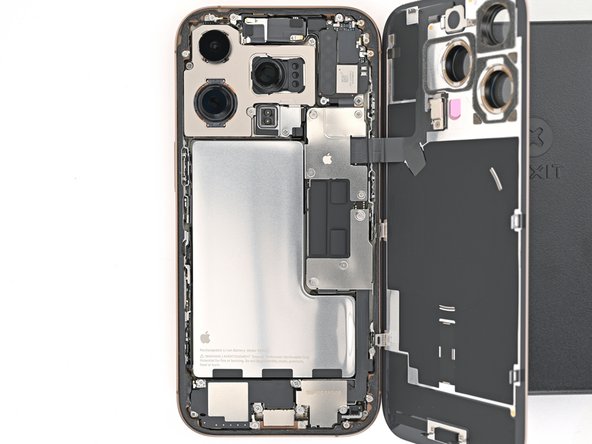
    • Gently swing open the back glass towards the volume buttons.

    • Support the back glass with a clean, sturdy object like a small box to avoid straining the cable.

    • Remove the opening picks.

    • Consider using polyimide tape to protect the rear camera lenses while you're working inside the phone. Don't push against the lenses to avoid damaging the delicate stabilizers.

  16. iPhone 16 Pro Battery Removal, Disconnect the battery: 16 단계, 이미지 2개 중 1개 iPhone 16 Pro Battery Removal, Disconnect the battery: 16 단계, 이미지 2개 중 2개
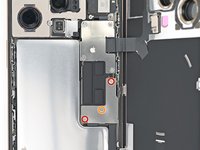
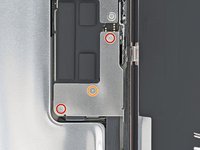
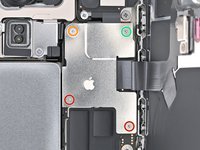
    • Use a tri-point Y000 screwdriver to remove the three screws securing the lower connector cover:

    • Two 1.2 mm‑long screws

    • One 1.0 mm‑long screw

  17. iPhone 16 Pro Battery Removal: 17 단계, 이미지 3개 중 1개 iPhone 16 Pro Battery Removal: 17 단계, 이미지 3개 중 2개 iPhone 16 Pro Battery Removal: 17 단계, 이미지 3개 중 3개
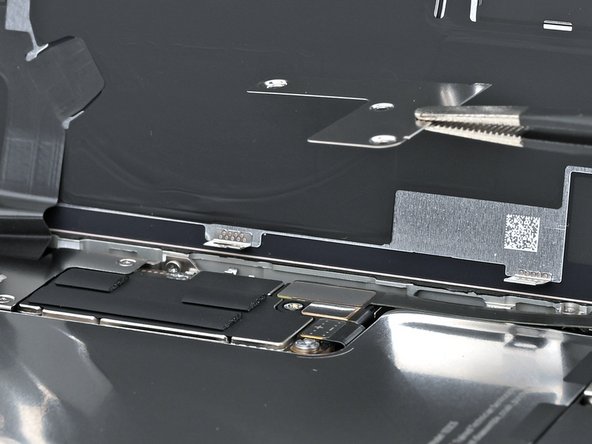
    • Use tweezers or your fingers to pick up and remove the lower connector cover.

  18. iPhone 16 Pro Battery Removal: 18 단계, 이미지 3개 중 1개 iPhone 16 Pro Battery Removal: 18 단계, 이미지 3개 중 2개 iPhone 16 Pro Battery Removal: 18 단계, 이미지 3개 중 3개
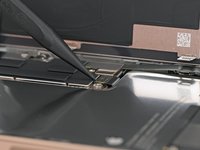
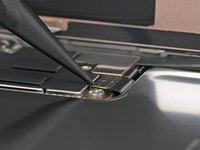
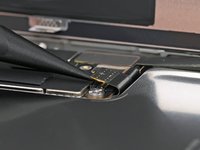
    • Use the point of a spudger to pry up and disconnect the battery press connector.

  19. iPhone 16 Pro Battery Removal, Disconnect the back glass: 19 단계, 이미지 2개 중 1개 iPhone 16 Pro Battery Removal, Disconnect the back glass: 19 단계, 이미지 2개 중 2개
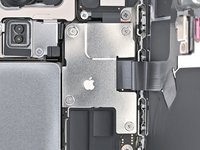
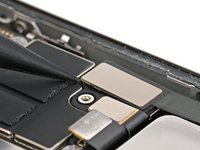
    • Use a tri-point Y000 screwdriver to remove the four screws securing the upper connector cover:

    • Two 1.0 mm‑long screws

    • One 1.2 mm‑long screw

    • One 1.6 mm‑long screw

  20. iPhone 16 Pro Battery Removal: 20 단계, 이미지 2개 중 1개 iPhone 16 Pro Battery Removal: 20 단계, 이미지 2개 중 2개
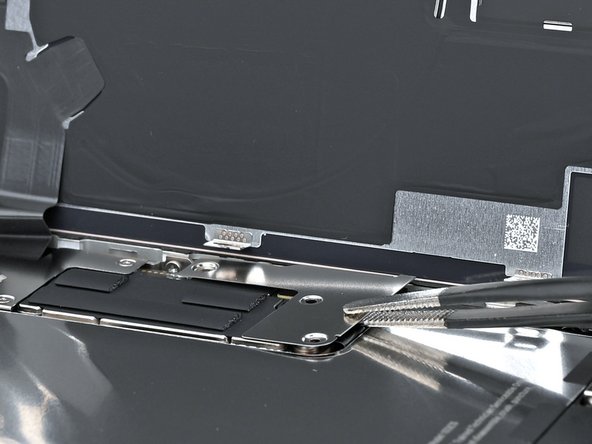
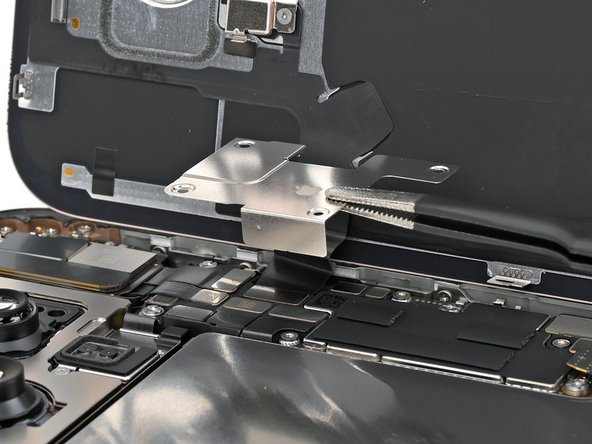
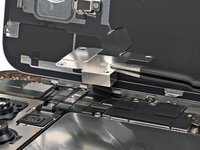
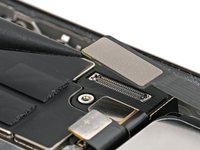
    • Use tweezers or your fingers to pick up and remove the upper connector cover.

  21. iPhone 16 Pro Battery Removal: 21 단계, 이미지 2개 중 1개 iPhone 16 Pro Battery Removal: 21 단계, 이미지 2개 중 2개
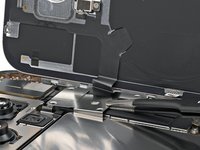
    • Use the point of a spudger to pry up and disconnect the back glass press connector.

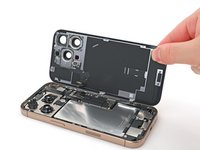
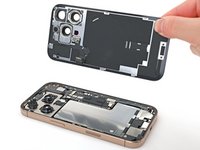
  22. iPhone 16 Pro Battery Removal, Remove the back glass: 22 단계, 이미지 2개 중 1개 iPhone 16 Pro Battery Removal, Remove the back glass: 22 단계, 이미지 2개 중 2개
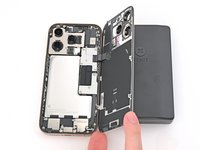
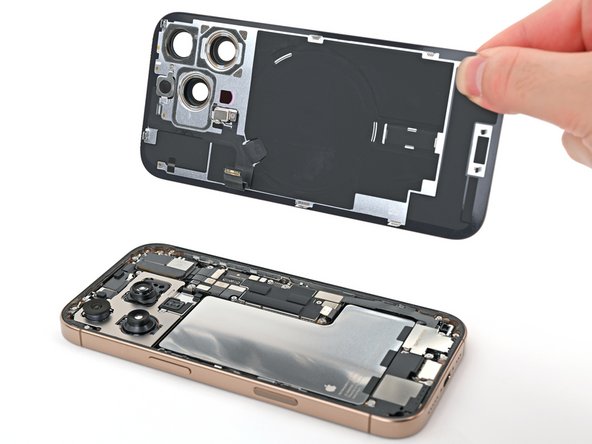
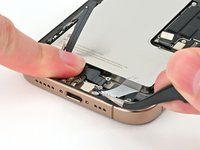
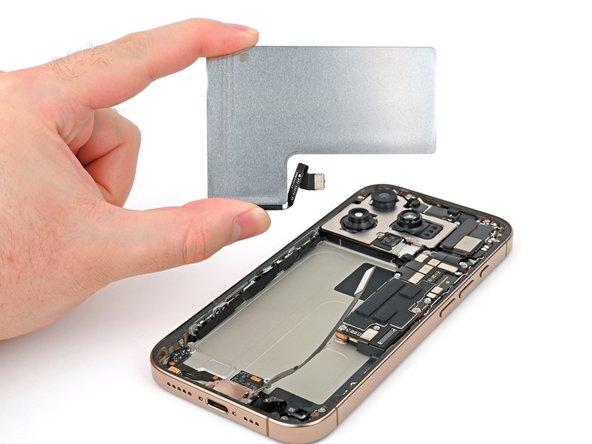
    • Lift the back glass off the frame and remove it.

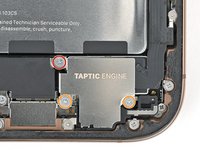
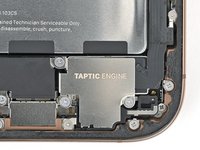
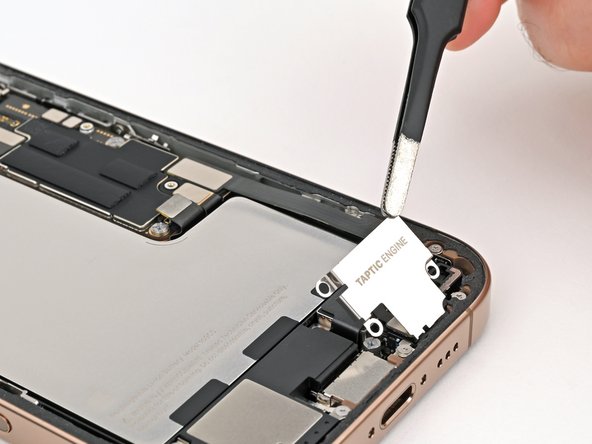
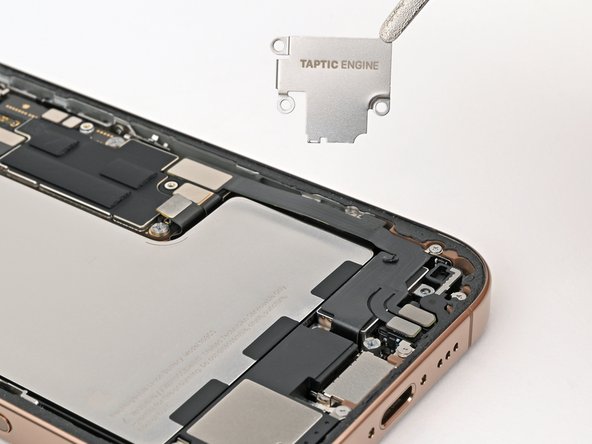
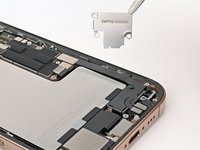
  23. iPhone 16 Pro Battery Removal, Remove the Taptic Engine cover: 23 단계, 이미지 2개 중 1개 iPhone 16 Pro Battery Removal, Remove the Taptic Engine cover: 23 단계, 이미지 2개 중 2개
    • Use a Phillips screwdriver to remove the three screws securing the Taptic Engine cover:

    • One 3.0 mm‑long screw

    • Two 1.7 mm‑long screws

  24. iPhone 16 Pro Battery Removal: 24 단계, 이미지 3개 중 1개 iPhone 16 Pro Battery Removal: 24 단계, 이미지 3개 중 2개 iPhone 16 Pro Battery Removal: 24 단계, 이미지 3개 중 3개
    • Use tweezers or your fingers to lift the top edge of the Taptic Engine cover.

    • Once the bottom edge unlatches from the frame, remove the Taptic Engine cover.

  25. iPhone 16 Pro Battery Removal, Disconnect the lower assembly cable: 25 단계, 이미지 2개 중 1개 iPhone 16 Pro Battery Removal, Disconnect the lower assembly cable: 25 단계, 이미지 2개 중 2개
    • Use the point of a spudger to pry up and disconnect the lower assembly cable press connector from the logic board.

  26. iPhone 16 Pro Battery Removal: 26 단계, 이미지 3개 중 1개 iPhone 16 Pro Battery Removal: 26 단계, 이미지 3개 중 2개 iPhone 16 Pro Battery Removal: 26 단계, 이미지 3개 중 3개
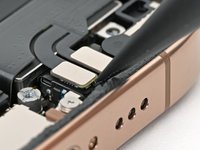
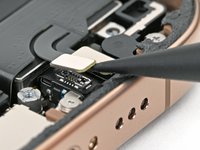
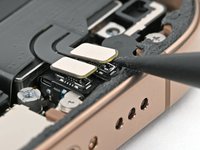
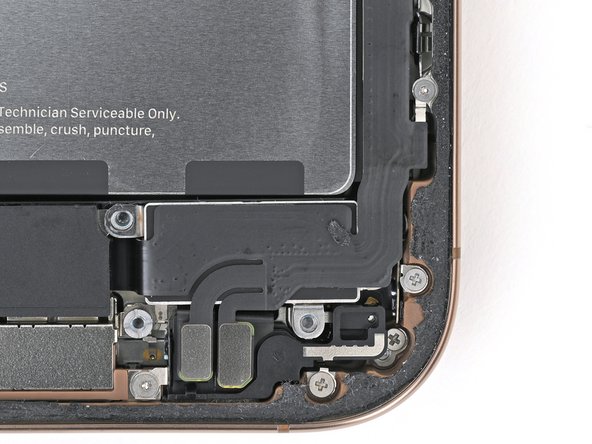
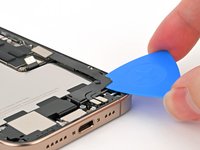
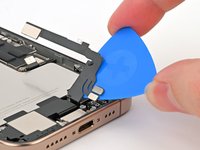
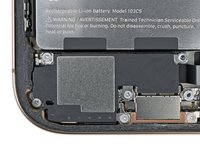
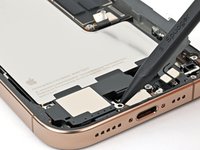
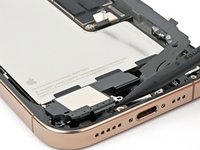
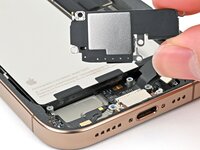
    • Use the point of a spudger to pry up and disconnect the two press connectors near the bottom right edge of the frame.

  27. iPhone 16 Pro Battery Removal: 27 단계, 이미지 2개 중 1개 iPhone 16 Pro Battery Removal: 27 단계, 이미지 2개 중 2개
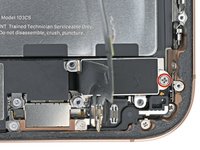
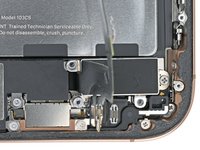
    • Use a tri-point Y000 screwdriver to remove the 1.0 mm‑long screw securing the lower assembly cable.

  28. iPhone 16 Pro Battery Removal: 28 단계, 이미지 2개 중 1개 iPhone 16 Pro Battery Removal: 28 단계, 이미지 2개 중 2개
    • Use an iOpener or hair dryer to heat up the lower assembly cable section on top of the Taptic Engine until it's hot to the touch.

  29. iPhone 16 Pro Battery Removal: 29 단계, 이미지 2개 중 1개 iPhone 16 Pro Battery Removal: 29 단계, 이미지 2개 중 2개
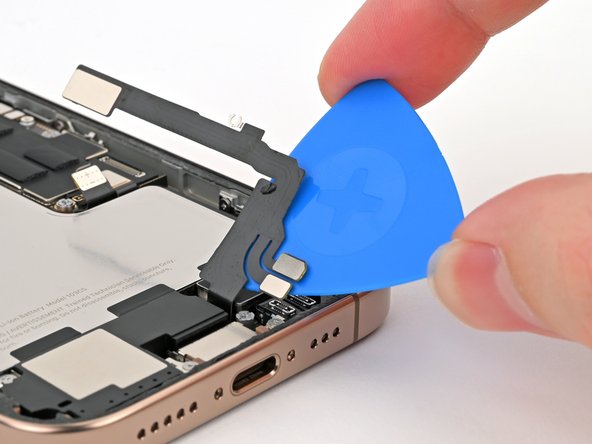
    • Slide an opening pick under the lower assembly cable to separate it from the Taptic Engine.

    • Carefully bend the cable out of the way so you can access the Taptic Engine.

  30. iPhone 16 Pro Battery Removal, Remove the Taptic Engine: 30 단계, 이미지 2개 중 1개 iPhone 16 Pro Battery Removal, Remove the Taptic Engine: 30 단계, 이미지 2개 중 2개
    • Use a Phillips screwdriver to remove the 1.9 mm‑long screw securing the Taptic Engine.

  31. iPhone 16 Pro Battery Removal: 31 단계, 이미지 2개 중 1개 iPhone 16 Pro Battery Removal: 31 단계, 이미지 2개 중 2개
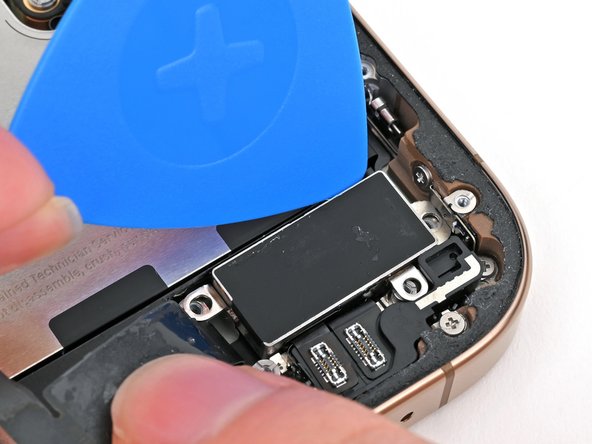
    • Slide the tip of an opening pick along the top edge of the Taptic Engine to separate the plastic buffer strip adhered to it.

  32. iPhone 16 Pro Battery Removal: 32 단계, 이미지 3개 중 1개 iPhone 16 Pro Battery Removal: 32 단계, 이미지 3개 중 2개 iPhone 16 Pro Battery Removal: 32 단계, 이미지 3개 중 3개
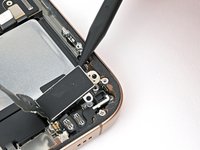
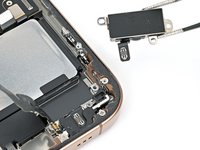
    • Use the point of a spudger to pry up the Taptic Engine from its top-right corner.

    • Be careful not to pry against the battery.

    • Remove the Taptic Engine.

  33. iPhone 16 Pro Battery Removal, Remove the loudspeaker: 33 단계, 이미지 2개 중 1개 iPhone 16 Pro Battery Removal, Remove the loudspeaker: 33 단계, 이미지 2개 중 2개
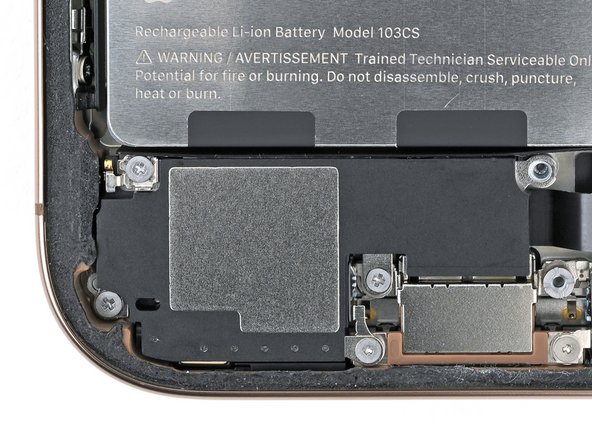
    • Remove the four screws securing the loudspeaker:

    • Two 1.6 mm‑long Phillips screws

    • One 2.0 mm‑long Phillips screw

    • One 1.3 mm‑long tri-point Y000 screw

  34. iPhone 16 Pro Battery Removal: 34 단계, 이미지 3개 중 1개 iPhone 16 Pro Battery Removal: 34 단계, 이미지 3개 중 2개 iPhone 16 Pro Battery Removal: 34 단계, 이미지 3개 중 3개
    • Insert the point of a spudger underneath the loudspeaker's bottom-right screw hole.

    • Pry up and remove the loudspeaker.

  35. iPhone 16 Pro Battery Removal, Battery adhesive information: 35 단계, 이미지 1개 중 1개
    • The battery is secured with three stretch release adhesive strips. The next four steps show how to remove them and free the battery.

    • Be careful not to dent or puncture the battery. Even with its metal enclosure, the battery can catch fire if damaged.

  36. iPhone 16 Pro Battery Removal, Remove the battery: 36 단계, 이미지 2개 중 1개 iPhone 16 Pro Battery Removal, Remove the battery: 36 단계, 이미지 2개 중 2개
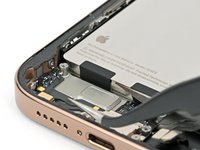
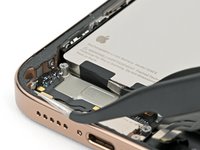
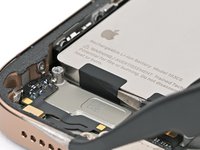
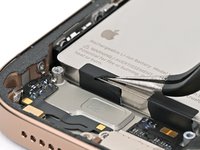
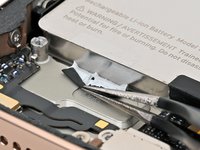
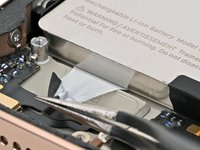
    • Insert the tip of angled tweezers under one of the black pull tabs.

  37. iPhone 16 Pro Battery Removal: 37 단계, 이미지 3개 중 1개 iPhone 16 Pro Battery Removal: 37 단계, 이미지 3개 중 2개 iPhone 16 Pro Battery Removal: 37 단계, 이미지 3개 중 3개
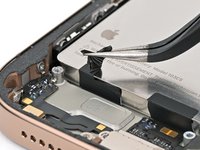
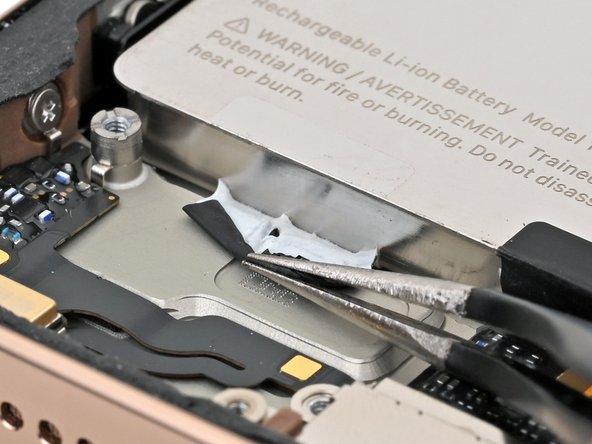
    • Use your tweezers to slice through the black tab and peel the tab off the top of the battery.

    • Don't try to pull the tab out from under the battery just yet.

  38. iPhone 16 Pro Battery Removal: 38 단계, 이미지 3개 중 1개 iPhone 16 Pro Battery Removal: 38 단계, 이미지 3개 중 2개 iPhone 16 Pro Battery Removal: 38 단계, 이미지 3개 중 3개
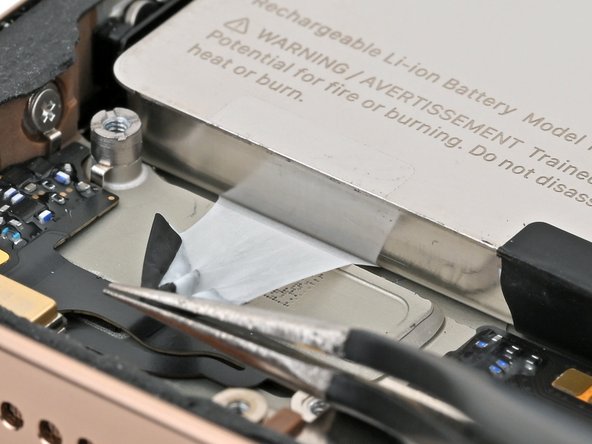
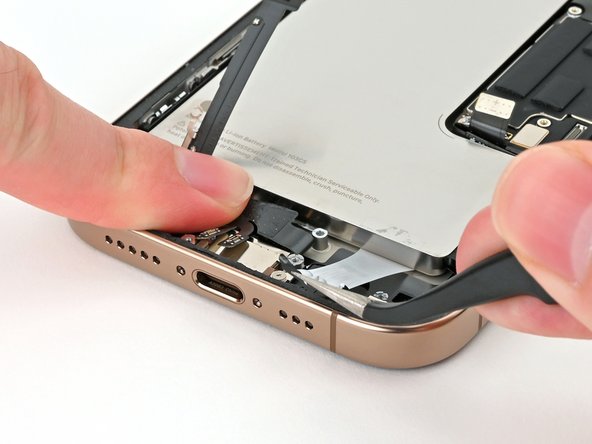
    • Use tweezers or your fingers to grab the pull tab and pull it down so it's flat against the frame.

    • Slowly pull the adhesive out from under the battery at as low of an angle as possible.

    • Give the strip plenty of time to stretch and re-grip it as necessary. When the strip becomes too long, wrap it around your tweezers and continue pulling.

    • If the strip breaks off, try to retrieve it from under the battery. If you can't retrieve it, move onto the next strip.

  39. iPhone 16 Pro Battery Removal: 39 단계, 이미지 2개 중 1개 iPhone 16 Pro Battery Removal: 39 단계, 이미지 2개 중 2개
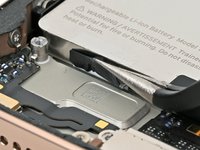
    • Repeat the procedure with the two remaining adhesive strips.

    • Carefully bend the lower assembly cable out of the way as needed to access the adhesive strips.

  40. iPhone 16 Pro Battery Removal: 40 단계, 이미지 2개 중 1개 iPhone 16 Pro Battery Removal: 40 단계, 이미지 2개 중 2개
    • If you removed all three stretch release adhesive strips, congratulations! Lift and remove the battery.

    • If one or more adhesive strips broke, skip to the next step to remove them with isopropyl alcohol.

  41. iPhone 16 Pro Battery Removal, Alternate method to remove the battery: 41 단계, 이미지 1개 중 1개
    • The next two steps show how to remove the battery if the adhesive strips broke.

    • Lift the bottom edge of the frame to tilt the phone.

    • Use a pipette or a syringe to apply 2–3 drops of high concentration (>90%) isopropyl alcohol along the bottom edge of the battery, close to where each broken adhesive strip came out.

    • Wait one minute for the isopropyl alcohol to flow under the battery and soften the adhesive.

  42. iPhone 16 Pro Battery Removal: 42 단계, 이미지 3개 중 1개 iPhone 16 Pro Battery Removal: 42 단계, 이미지 3개 중 2개 iPhone 16 Pro Battery Removal: 42 단계, 이미지 3개 중 3개
    • Insert the tip of an opening pick between the bottom of the battery and the frame.

    • Insert a second opening pick between the left edge of the battery and the frame. Use this pick to pry the battery upwards slowly with steady force. Work your way up the edge of the battery, giving the adhesive time to release.

    • Don't bend or crease the battery. If it feels stubborn, apply a few more drops of isopropyl alcohol and try again.

    • Once the adhesive loosens, grab and remove the battery.

결론

To reassemble your iPhone, follow these instructions in reverse order, starting with this step.

After your repair, run Apple's Repair Assistant. Navigate to Settings General About Parts & Service History, tap Restart & Finish Repair, and follow the onscreen prompts.

Calibrate your newly installed battery after completing this guide.

Take your e-waste to an R2 or e-Stewards certified recycler.

Repair didn’t go as planned? Try some basic troubleshooting, or ask our iPhone 16 Pro Answers community for help.


Nick Schultz

회원 가입일: 03/24/24

49,256 평판

안내서 275개를 작성함

iFixit iFixit 회원

Staff

124 회원들

안내서 24,692개를 작성함

0가이드 댓글

댓글 쓰기

조회 통계:

지난 24시간: 0

지난 7일: 0

지난 30일: 4

전체 시간: 126