소개
This guide will help you replace the filter on the iRobot Roomba e5 (model number: e515020), a Roomba e series robot vacuum that is ideal for pet-friendly homes. Due to its capability in pet homes, the filter needs to be replaced once every two months (this can vary depending on how much your Roomba is being used). This is a simple four step process that requires no tools or previous experience. However, it can get a bit messy so it's best to replace the filter in an area where dirt is acceptable as the filter and vacuum will drop loose dirt often.
필요한 것
-
-
-
Flip the Roomba upside down so that the front wheel (caster wheel) is facing away from you.
-
Push the trash bin removal button on the side of the Roomba.
 FixBot에 문의하기
-
-
-
Press the trash bin removal button.
-
Use your hands to remove the rest of the trash bin.
-
-
-
-
Press the grey button that has a “no water icon” on it.
-
Pull on the filter to remove it.
-
-


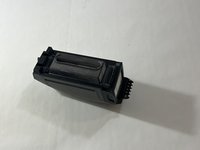
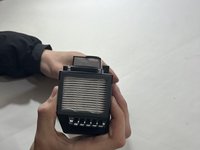


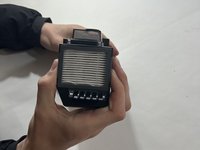
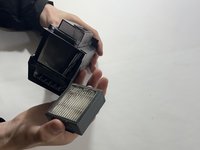
To reassemble your device, follow these instructions in reverse order.
다른 2명이 해당 안내서를 완성하였습니다.

팀

Casper College, Team 1-2, Lareau Spring 2022 Casper College, Team 1-2, Lareau Spring 2022 회원
CASC-LAREAU-S22S1G2
4 회원들
안내서 19개를 작성함
