학생-기여 위키
자사 교육 프로그램의 멋진 학생들이 이 위키를 만들었습니다.
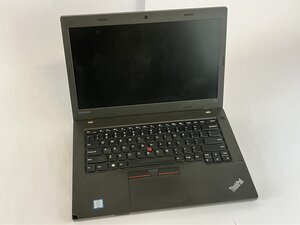
Lenovo ThinkPad L460이 충전되지 않거나 전원이 켜지지 않는 경우, 어댑터를 연결했을 때 표시 등이 켜지지 않거나, 어댑터에서 열이 나거나 윙윙거리는 소리가 들린다면 이 안내서가 도움이 될 수 있습니다.
전원 어댑터 결함
- 육안으로 손상 여부 검사
- 어댑터 코드에 해어짐, 구부러짐, 또는 탄 자국이 있는지 확인하세요.
- 손상이 보이면 어댑터 케이블을 교체하세요.
어댑터가 올바른 전압을 공급하지 못하는 경우
- 멀티미터를 사용하여 출력값 테스트
- Lenovo 어댑터는 약 20V DC를 출력해야 합니다.
- 측정값이 없거나 변동이 심하면 어댑터 케이블을 교체하세요.
어댑터 장치 결함
- 작동이 확인된 Lenovo 어댑터 케이블을 사용해 보세요.
- 다른 어댑터 케이블로 작동한다면, 원래 사용하던 어댑터는 결함이 있는 것이므로 교체해야 합니다.
DC 충전 포트 손상
- DC 잭 검사 또는 교체
- 전원 포트가 헐겁거나 부식되었는지 확인하세요.
- 포트가 손상되었다면 교체하세요.

팀

UMass Dartmouth, Team 2-4, Bowman Fall 2025 UMass Dartmouth, Team 2-4, Bowman Fall 2025 회원
UMASSD-BOWMAN-F25S2G4
4 회원들
안내서 72개를 작성함

댓글 0개