학생-기여 위키
자사 교육 프로그램의 멋진 학생들이 이 위키를 만들었습니다.
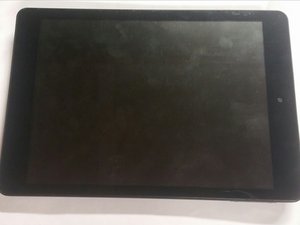
Nextbook이 켜지지 않음
무엇을 해도 기기가 켜지지 않습니다
배터리가 방전됨
- 제공된 충전기로 기기를 충전하세요.
- 배터리가 방전되었을 가능성이 있습니다.
터치 스크린이 반응하지 않음
화면을 터치해도 Nextbook이 반응하지 않습니다.
화면을 청소해야 함
- 부드러운 천으로 화면을 닦으세요.
- 화면에 물기나 먼지가 있으면 터치 스크린 작동을 방해할 수 있으므로 깨끗한 상태인지 확인하세요.
카메라가 작동하지 않음
카메라를 사용하려고 하면 화면이 흐릿하거나 때로는 완전히 아무것도 표시되지 않습니다
렌즈가 더러워졌을 수 있음
- 천으로 카메라 렌즈를 닦아 얼룩이나 먼지를 제거하세요.
- 뒷면 커버를 분리하고 렌즈 내부와 카메라 본체를 청소하세요.
카메라 결함
- 카메라를 교체해야 합니다.
스피커에서 소리가 나지 않음
음악이나 다른 미디어를 재생해도 소리가 들리지 않습니다
스피커에 먼지가 가득 찼을 수 있음
- 뒷면 커버를 분리하여 스피커를 꺼낸 후 압축 공기로 먼지를 불어내세요.
스피커 결함
- 스피커를 교체해야 합니다.

팀

Colorado Springs, Team 5-1, Panko Spring 2015 Colorado Springs, Team 5-1, Panko Spring 2015 회원
UCCS-PANKO-S15S5G1
3 회원들
안내서 60개를 작성함

댓글 19개
my nextbook was dropped on the corner where the on/off button is . the button got stuck inside and will not turn on now.
candylanej - 답글 공유
Next book 8 will not turn on no matter what. The battery charges OK. I only had it about 4 to 5 weeks and it just won't turn on.
Hollie Noel - 답글 공유
right mine too. hope this replies soon
adasdasd asdasdasd - 답글 공유
I've seen where some have taken the bask cover off and unplugged the battery pack and plugged it back in. Many had this fix the problem, but it didn't work for mine, which also will not turn on. At all. Good luck. Nextbook sucks!
hydroryan - 답글 공유
I'm having a problem with the tablet feeling like its over heated. Plus it will go to a blank black screen that is unresponsive and leaves you with the only option of turning it off.
Sunessa Kruse - 답글 공유