
주요 콘텐츠로 건너뛰기

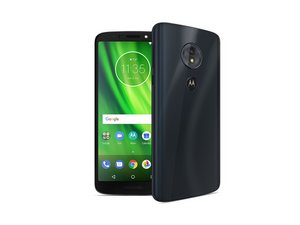
Repair guides for the Motorola Moto G. A series of Android Smartphones manufactured by Motorola Mobility since 2013.

How do I fix a broken power button?

My Moto G power button is broken, and the phone now just turns itself on & off continuously until it runs out of battery power. If I plug in the charger, it will carry on turning on & off indefinitely.

I've asked about a repair at the Vodafone shop where I bought it, and they've said they'd have to wipe the phone before sending it off to be repaired. I'm not keen on this as there's stuff on the phone I'd like to keep.

The button appears looser than the volume control, so has probably become detached internally. Is there any way of repairing it myself?

이 질문에 답하기 저도 같은 문제가 있습니다

좋은 질문입니까?

점수 8
댓글 2개

having the same problem, how did you repaired it?

My Motorola phone power button has broken where I should go to get a new button and sensor

댓글 달기

답변 2개

가장 유용한 답변

i fixed mine. The power button is a tactile switch soldered directly to the board. theres nothing behind it to stop it from snapping off the board if it gets pushed too hard, except for some plastic "posts" to hold the part that presses the button inside. unfortunately they are only somewhat effective.

Anyway, I fixed it by aligning the tact switch with the pads on the board and soldering it back on. you will need a relatively small tip on your iron, and take care not to melt the posts I mentioned earlier. take the mobo out entirely if you need to. I protected the button from breaking off again in the future by cutting a small piece off an itunes card and sandwiching it between the back of the tact switch and the edge of the battery.

이 답변이 도움이 되었나요?

점수 5

댓글 3개:

I'm going to be doing this a little later today. Looking at the phone I see about 5 small dots of solder.

Crude ascii drawing here

... volume button

. . stuff here.

So it seems only the bottom two have to be soldered on? I don't even have the tools for it besides the torx screwdrivers and a guitar pic. Any help is appreciated.

Did you get it fixed?

I have the same problem. I am guessing i need to unscrew all the screws & remove the plastic that boarders the battery? I've never attempted to fix a phone, but fix many other things so have all the tools. Other then the power button this was a great phone to carry around for killing time games! Thanks for the help!

댓글 달기

Possibly replacing a new button will fix that problem. But it depends. Need to check the circuit before making any decision. Better to look for personal workshop around your home.

이 답변이 도움이 되었나요?

점수 0
댓글 달기

답변을 추가하세요

Mickey Mouse 영원히 감사할 것입니다.
조회 통계:

지난 24시간: 1

지난 7일: 14

지난 30일: 58

전체 시간: 30,538

