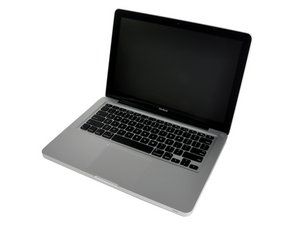
MacBook A1278 Screen issue

Does anyone have any idea what wrong with my Mac?
좋은 질문입니까?
점수
1

평판: 57
 5
5
 3
3
Does anyone have any idea what wrong with my Mac?
좋은 질문입니까?

평판: 499.7k
35
342
 977
977
Your lid must have gotten a good hit. What has happened here is the driver logic on the back of the LCD panel has broken free from the glass so the area that is black is not getting the signaling to de-phase the crystals so the back light is not able to get though. Here's a write up and a model as reference: How LCDs Work.
Sadly you'll need to replace the display. You may want to consider the easier way here of just replacing the complete lid unit Vs the LCD panel alone. Here's the two IFIXIT guides that explain whats involved:
While the complete assembly is more costly there is less risk of damaging anything, unlike the panel replacement which while being cheaper needs more tools and skills as you can break the cover glass.

안내서
난이도:
조정

안내서
난이도:
매우 어려움
—
2 - 4 hours
이 답변이 도움이 되었나요?
지난 24시간: 0
지난 7일: 1
지난 30일: 11
전체 시간: 371

댓글 3개
This question was migrated from http://meta.ifixit.com/Answers.
iRobot 의
That's actually a MacBook, not MacBook Pro
Scott Dingle 의
I do agree with Dan, but I would check to see what an external monitor shows first....
oldturkey03 의