
주요 콘텐츠로 건너뛰기

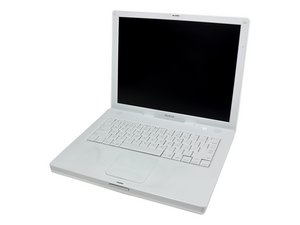
모델 M8413 또는 A1007 / 600, 700, 800, 또는 900 MHz G3 프로세서

Problem

Hi my name is leandro i have a Ibook G3 14 and i was having a issue with the display so i tried to fix it puting a shim in the diplay chip but now after all my computer doesnt turn on after I finish and i dont no why. it was all ok before that i had problem with a blue and white cable near the Modem that was conecte to the keyboard palm rest or the turning on button the socket was out and i put it again i dont no why it does not turn on you think i forgot something else? thank you!!

답변되었습니다! 답변 보기 저도 같은 문제가 있습니다

좋은 질문입니까?

점수 0
댓글 달기

답변 6개

선택된 해법

I'm not sure I understand the description of the problem, but one thing I would recommend is keeping the computer open, i.e. just let the topcase/rest on top the board while it is plugged in. That way, you can verify your connections, try powering it on, unplug/plug in another connection, try powering it on, etc. Nothing is more frustrating that putting an iBook all the way back together only to realize something else is wrong and you have to go back in again.

이 답변이 도움이 되었나요?

점수 1
댓글 달기
가장 유용한 답변

I would try soldering two wires to the contacts on the board and soldering the power button port to the end of the two wires.

이 답변이 도움이 되었나요?

점수 1

댓글 2개:

You think this is the problem?

I'm not sure I fully understand but if your power button connector socket has come off the logic board you could definitely try my suggestion.

댓글 달기

Well i am just making like contact with the base with something to see if its turning on is not solded.

이 답변이 도움이 되었나요?

점수 0

댓글 1개:

You mean the port isn't soldered onto the board?

댓글 달기

yes i mean that but i think that it should turn on making contact with the board with something.

이 답변이 도움이 되었나요?

점수 0
댓글 달기

There is no way to turn on teh computer like in other way or with a trick?

이 답변이 도움이 되었나요?

점수 0
댓글 달기

I don't know I comprehend the depiction of the issue, however one thing I would suggest is keeping the PC open, for example just let the topcase/lay on top the board while it is connected. That way, you can confirm your associations, take a stab at controlling it on, unplug/plug in another association, have a go at driving it on, and so forth Nothing is seriously baffling that putting an iBook right back together just to acknowledge something different isn't right and you need to return in once more. Source

이 답변이 도움이 되었나요?

점수 0
댓글 달기

답변을 추가하세요

superbat 영원히 감사할 것입니다.
조회 통계:

지난 24시간: 0

지난 7일: 1

지난 30일: 9

전체 시간: 943