주요 콘텐츠로 건너뛰기
수리 커뮤니티 가입 - 계정 만들기

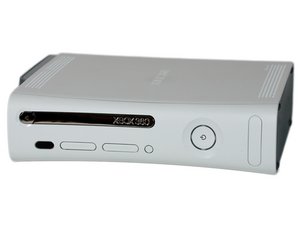
The Xbox 360 is the second game console made by Microsoft, and was released November 22, 2005.

green ring of death.

Basically my xbox turns on and shows a green light but does nothing. Nothing come on the screen, the pad turns on but doesn't respond. and when you unplug the pad and reattach plug it in it doesn't have power to it (wired pad).

Is it the same problem as the red ring or something worse?

답변되었습니다! 답변 보기 저도 같은 문제가 있습니다

좋은 질문입니까?

점수 1
댓글 3개

What do you mean by "pad"? As in controller?

sorry, yes controller

This happened to me but it was my steering wheel [WIRED] and the xbox was fine, so was my normal everyday wired and wireless controllers

댓글 달기

답변 2개

선택된 해법

It sounds like it's not booting correctly... I would try these steps but if the don't work the system may just be "bricked"

Step one: inshore that the hdmi cable is not faulty/plugged in correctly with no problems (if the Xbox does not detect a output source it will not boot)

Step two: try to reinstall the os, you can do this with a USB by going to...

http://download.microsoft.com/download/6...

...and following these steps...

Copy to a USB flash drive

If you can't connect your Xbox 360 console to the Internet, you can copy the console update from your computer to a USB flash drive and then install it on the console.

Note The USB flash drive must use the FAT32 file system. For information about how to format a USB flash drive, see the “Format a USB flash drive” section of Xbox 360 USB flash drive support.

Plug your USB flash drive into a USB port on your computer.

Download the update file.

Click Save to save the console update .zip file on your computer.

Unzip the file. If you're using Windows XP, Windows Vista, or Windows 7, double-click the .zip file to unzip it.

Copy the contents of the .zip file to the root directory of your USB flash drive (for example, E:\). Do not copy the contents to another folder on the USB flash drive (for example, E:\Files).

Unplug the USB flash drive from your computer.

Plug the flash drive into a USB port on your Xbox 360 console.

Restart the console.

When the console restarts, the installation program starts automatically. When prompted, select Yes to update the new console software.

If that doesn't work try it again without the HDD connected

And if that doesn't work I am afraid that the console is most likely "bricked" and you will need to sent the console to Microsoft for repairs.

이 답변이 도움이 되었나요?

점수 1
댓글 달기


It sounds like it's not booting correctly... I would try these steps but if the don't work the system may just be "bricked"

Step one: inshore that the hdmi cable is not faulty/plugged in correctly with no problems (if the Xbox does not detect a output source it will not boot)

Step two: try to reinstall the os, you can do this with a USB by going to...

http://download.microsoft.com/download/6...

...and following these steps...

Copy to a USB flash drive

If you can't connect your Xbox 360 console to the Internet, you can copy the console update from your computer to a USB flash drive and then install it on the console.

Note The USB flash drive must use the FAT32 file system. For information about how to format a USB flash drive, see the “Format a USB flash drive” section of Xbox 360 USB flash drive support.

Plug your USB flash drive into a USB port on your computer.

Download the update file.

Click Save to save the console update .zip file on your computer.

Unzip the file. If you're using Windows XP, Windows Vista, or Windows 7, double-click the .zip file to unzip it.

Copy the contents of the .zip file to the root directory of your USB flash drive (for example, E:\). Do not copy the contents to another folder on the USB flash drive (for example, E:\Files).

Unplug the USB flash drive from your computer.

Plug the flash drive into a USB port on your Xbox 360 console.

Restart the console.

When the console restarts, the installation program starts automatically. When prompted, select Yes to update the new console software.

If that doesn't work try it again without the HDD connected

And if that doesn't work I am afraid that the console is most likely "bricked" and you will need to sent the console to Microsoft for repairs.

이 답변이 도움이 되었나요?

점수 -1

댓글 2개:

All you did was copy paste my answer..... what a scrub

댓글 달기

답변을 추가하세요

Phillip 영원히 감사할 것입니다.
조회 통계:

지난 24시간: 0

지난 7일: 11

지난 30일: 33

전체 시간: 6,174
