
์ฃผ์š” ์ฝ˜ํ…์ธ ๋กœ ๊ฑด๋„ˆ๋›ฐ๊ธฐ
์ˆ˜๋ฆฌ ์ปค๋ฎค๋‹ˆํ‹ฐ ๊ฐ€์ž… - ๊ณ„์ • ๋งŒ๋“ค๊ธฐ

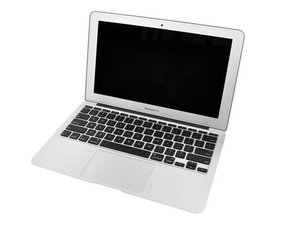
1.6 ๋˜๋Š” 1.8 GHz dual-core ํ”„๋กœ์„ธ์„œ, 2 GB ๋˜๋Š” 4 GB SDRAM, 64 GB ๋˜๋Š” 128 GB SSD

Fan always going how to fix

My fans on my macbook air won't stop turning. They have not switched off unless I shut down the laptop or closed it. Its not over heating, the CPU is 0% and I have tried everything and nothing is working!!

์ด ์งˆ๋ฌธ์— ๋‹ตํ•˜๊ธฐ ์ €๋„ ๊ฐ™์€ ๋ฌธ์ œ๊ฐ€ ์žˆ์Šต๋‹ˆ๋‹ค

์ข‹์€ ์งˆ๋ฌธ์ž…๋‹ˆ๊นŒ?

์ ์ˆ˜ 2

๋Œ“๊ธ€ 2๊ฐœ:

Why/when/how did this issue arise?

์˜

Why you want stop turning fans? They must cooling down laptop its okay, or its to loud for you?

์˜

๋Œ“๊ธ€ ๋‹ฌ๊ธฐ

๋‹ต๋ณ€ 1๊ฐœ

The temperature sensor may be faulty ? Try installing a Fan Management App.

http://www.macupdate.com/app/mac/23049/s...

This will give you control of your fan speed but more importantly the temperature of your CPU.

Maybe it just needs a good cleaning to ensure it's cooling down properly.

์ด ๋‹ต๋ณ€์ด ๋„์›€์ด ๋˜์—ˆ๋‚˜์š”?

์ ์ˆ˜ 0

๋Œ“๊ธ€ 1๊ฐœ:

Unfortunately Fan temperature is OK. Apple Genius ran some tests and also didn't find any problem. I tried to clean it inside and still no result.

์˜

๋Œ“๊ธ€ ๋‹ฌ๊ธฐ

๋‹ต๋ณ€์„ ์ถ”๊ฐ€ํ•˜์„ธ์š”

moxno ์˜์›ํžˆ ๊ฐ์‚ฌํ•  ๊ฒƒ์ž…๋‹ˆ๋‹ค.
์กฐํšŒ ํ†ต๊ณ„:

์ง€๋‚œ 24์‹œ๊ฐ„: 0

์ง€๋‚œ 7์ผ: 4

์ง€๋‚œ 30์ผ: 27

์ „์ฒด ์‹œ๊ฐ„: 1,389
