주요 콘텐츠로 건너뛰기
수리 커뮤니티 가입 - 계정 만들기

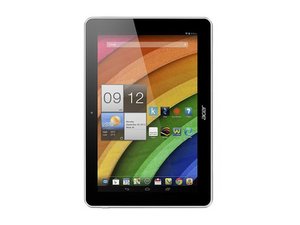
Acer Iconia A3 is a 10.1" Android 4.2 Jelly Bean tablet powered by a quad-core Mediatek processor.

My tablet keeps turning itself off

my Acer iconia A3 tablet keeps turning itself off at random moments, then it comes up on the Acer logo and gets stuck. I really have a hard time getting it to boot up again... does anyone know what might be wrong?

이 질문에 답하기 저도 같은 문제가 있습니다

좋은 질문입니까?

점수 2
댓글 달기

답변 1개

-If you are unable to start the process for your tablet does not answer the Preloader mode, you need to remove the back cover and disconnect the battery and start the tutorial battery disconnected.

Once the tutorial finished, reconnect the battery. put in charge 10 min and then attempt to restart.

from : http://acer-club.fr/viewtopic.php?f=227&...

1- remove the back cover.

2- disconnect the battery.

3- reconnect the battery.

4- put in charge 10 min.

5- attempt to restart.

GOOD LUCK

[RYAN KHENNOUCI]

이 답변이 도움이 되었나요?

점수 0
댓글 달기

답변을 추가하세요

Milady Deviline 영원히 감사할 것입니다.
조회 통계:

지난 24시간: 0

지난 7일: 5

지난 30일: 39

전체 시간: 1,084
