
주요 콘텐츠로 건너뛰기

2006년 11월 북미에서 출시된 Wii는 인터넷 연결을 직접 지원하는 닌텐도 최초의 가정용 콘솔로, 온라인 게임과 Wii 숍 채널을 통해 게임 및 미디어 애플리케이션의 디지털 유통을 모두 지원했습니다.

How do you fix a button that won't press?

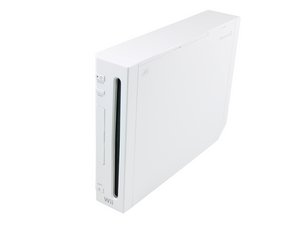
The Wii took a tumble a while back, and since then, the eject button doesn't click anymore. Unless its positioned just right, it'll forever try to eject. How do you fix/replace an eject button?

이 질문에 답하기 저도 같은 문제가 있습니다

좋은 질문입니까?

점수 8
댓글 달기

답변 6개

가장 유용한 답변

If I'm hearing you right, the console is constantly trying to eject the disc while the button is not being pressed. A solution you may want to consider is removing the button entirely (I'm pretty sure you can still eject the disc from the Wii menu). Try removing the faceplate to get to the button and remove it, to see if that fixes the problem or at the very least to clean out any broken plastic components that may still be in there. Wii Faceplate

Here's the part: Nintendo Wii Faceplate

EDIT: Whoops! Turns out you can't eject the disc from the Wii Menu. I tried through a whole episode of Seinfeld.

Replace the faceplate and its buttons. 이미지

제품

Nintendo Wii Faceplate

$19.99

이 답변이 도움이 되었나요?

점수 5
댓글 달기

iFixit now has the part you need to repair your Wii (instructions linked to in BWest's answer)

Nintendo Wii Faceplate

Replace the faceplate and its buttons. 이미지

제품

Nintendo Wii Faceplate

$19.99

이 답변이 도움이 되었나요?

점수 3
댓글 달기

the eject button can be replaced but its very small. I use a digital microscope to clearly see the solder points.

이 답변이 도움이 되었나요?

점수 1
댓글 달기

clean the buttons some times got dust around

이 답변이 도움이 되었나요?

점수 0
댓글 달기

Yes and i need you to fix it

이 답변이 도움이 되었나요?

점수 0
댓글 달기

I took apart the Wii and found the disc holder and pushed the egect button a couple times then put it back together and the your set

이 답변이 도움이 되었나요?

점수 0
댓글 달기

답변을 추가하세요

Kevin 영원히 감사할 것입니다.
조회 통계:

지난 24시간: 0

지난 7일: 4

지난 30일: 34

전체 시간: 19,826
