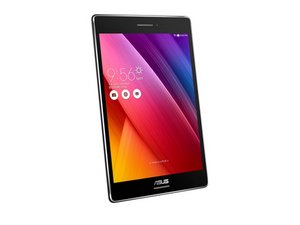

black screen death frozen
my zenpad froze when i was playing a game , them the screen when black i can see it the back light but still black. i need to know if there is any way to fix it
좋은 질문입니까?
점수
1
평판: 13
 1
1
 1
1
my zenpad froze when i was playing a game , them the screen when black i can see it the back light but still black. i need to know if there is any way to fix it
좋은 질문입니까?
평판: 49
1
[Future reference]
I had the same issue. The Zenpads don't use the standard power+vol. up reboot method, but if you hold power + vol. down, it should put you into a reboot screen after a short bit. Just select "Continue Power On" from there and it should work.
이 답변이 도움이 되었나요?
I've had the same issue, and tried that. It made the backlight turn on and off, but did nothing to actually fix the problem. Am I doing something wrong? Do I just need to wait a little while after? What's going on?
THANK YOU SOOOOOO MUCH!!! I did exactly as you said and BOOM....reboot screen popped up and life is good again
Thank you very much! Just had the same problem and found your answer!
omg thank you soooo much this tablet was my only method of communication and now it works thank you fellow gamer
It did not work for me. The screen is having a blue line straight down on a black screen
평판: 37
1
David, my Zenpad S 8 showed weird rainbow colors & was unresponsive to touch before it went black. Upon rebooting, like you said, I could tell (especially in a darker room) via the backlight that it was on, and using the volume keys the speakers responded also indicating it was on. I will need to contact Asus & send them a video of what's happening, but for now I have discovered a temporary solution. Believe it or not, giving a hard rap with a knuckle or two in the center of the back of the tablet springs the display back to life. I'm guessing something must be connected poorly in the inside. Give it a try.
이 답변이 도움이 되었나요?
In my case, the tablet was still under warranty, so Asus fixed it, although they didn't make clear what they did. If the tablet's not under warranty, from video's like this one https://www.youtube.com/watch?v=JpJs_OI8... the problem is probably that the connector from a ribbon cable or two has gotten loose. Look at Amazon, Ebay, Alibaba, etc. for a kit to open most phones & tablets. The cost should be less than US$10. The fellow in the video uses a credit card! Anyway, the idea is to open the device and re-seat the ribbon cable(s).
almost buying a new one, this is working for me, thank's a lot.
I had the same issue, sent it back to Asus and they returned it "fixed" without saying what they did. A few months later, same thing. Same process. The now twice "fixed" tablet lasted a few months, then reverted to the same issue again. Would I buy another Asus? Am I impressed with their tech service?
I used the "hard rap" trick and it worked for a 10 years old asus tablet...
지난 24시간: 1
지난 7일: 7
지난 30일: 26
전체 시간: 15,018