Hi,
You didn't have your files stored on the external SD Card by any chance did you? If so take out the card and insert it in a card reader connected to a PC to get your files.
If you didn't have this arrangement in your phone read on:
As you know liquids and electronics and electricity are not a good mix.
The liquid causes corrosion and provides circuit paths for the electricity which were not in the phone's operating design and could damage the components. The corrosion process starts immediately and continues until it has been cleaned properly
Rice is good to eat but does nothing to fix the damage caused by corrosion.
Don't Put Your Device in Rice. Here's Why...
First do not turn on your phone and then you need to remove the battery as soon as possible from the phone to minimize further damage.''
Then you need to dis-assemble the rest of the phone and clean all the affected parts using Isopropyl Alcohol 90%+ to remove all traces of corrosion and water. Do not use "rubbing alcohol" as in some cases this is only 70% and is not as effective. If you do check the label to verify the amount
Here is a link that in general, describes the process.
Electronics Water Damage
As always with electronics, especially surface mounted PCBs be gentle when handling and especially when brushing away the corrosion. You do not want to remove any components from the board.
Hopefully after you have done all this the phone might possibly work correctly again.
Here is a link to the Ifixit's guide(s) on how to repair your phone. They are helpful as they show how to dis-assemble the phone so that you can clean it properly.
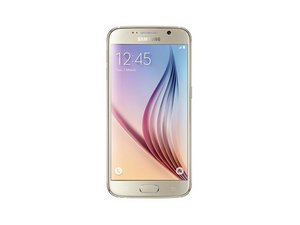
Samsung Galaxy S6
If this process seems too daunting, take your phone to a reputable, professional mobile phone repair service and ask for a quote for a repair.
If you decide to do this, do it sooner than later.

 1
1 
 405
405  1.5k
1.5k 