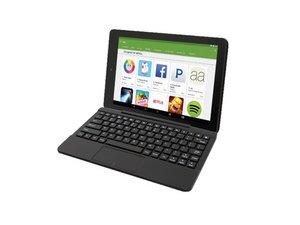

How to turn off safe mode
Safe mode is on and cannot access some widgets
좋은 질문입니까?
점수
10
평판: 121
 2
2
 2
2
 1
1
Safe mode is on and cannot access some widgets
좋은 질문입니까?
평판: 357
5
1
If you are trying to turn of safety mode you can go to the setting and then safari and then safety. You can also go to safari and go to the bottom to turn safety mode on or off. This also may work for Crome or google or any outher search engines. But on a laptop go to the settings on the web page and then go to safety
이 답변이 도움이 되었나요?
What the !&&* are you talking about, there is no safari in settings on my rca 10 viking pro?
Sorry if that was not help full. Try to restart it by holding the power button and see if that helps.
There is no safari settings on on my RCA Viking ll Pro Tablet.
Has anybody figured out how to turn off this %#*@ safe mode with this RCA Atlas 10? Google Assistant I was told me to turn the tablet off and reset it that is not working. How did the %#*@ thing turn itself on all by itself anyway?
이 답변이 도움이 되었나요?
yes see below
12.23.19 For anyone still needing an answer to this question “How do I get out of safe mode“ for my RCA Viking 10.1 here is the answer according to the Google assistant on my RCA Viking 10.1 And it WORKED !! :
Press & Hold the power button for a few seconds (With your tablet powered up and open)
Your tablet screen will open up with a small menu — press the RESTART option
Your tablet will be out of safe mode!
how can i get safe mode off of my tablet ?
이 답변이 도움이 되었나요?
12.23.19 For anyone still needing an answer to this question “How do I get out of safe mode“ for my RCA Viking 10.1 here is the answer according to the Google assistant on my RCA Viking 10.1 And it WORKED !! :
Press & Hold the power button for a few seconds (With your tablet powered up and open)
Your tablet screen will open up with a small menu — press the RESTART option
Your tablet will be out of safe mode!
평판: 1
1
12.23.19 For anyone still needing an answer to this question “How do I get out of safe mode“ for my RCA Viking 10.1 here is the answer according to the Google assistant on my RCA Viking 10.1 And it WORKED !! :
Press & Hold the power button for a few seconds (With your tablet powered up and open)
Your tablet screen will open up with a small menu — press the RESTART option
Your tablet will be out of safe mode!
이 답변이 도움이 되었나요?
지난 24시간: 0
지난 7일: 1
지난 30일: 19
전체 시간: 5,055


