
주요 콘텐츠로 건너뛰기

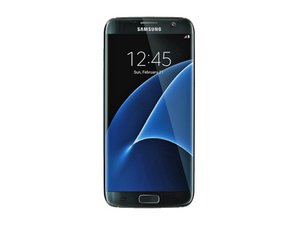
Galaxy S7 Edge는 Samsung의 2016년 주력 휴대폰 Galaxy S7의 곡선형-스크린 버전입니다. 2016년 2월에 발표되었으며 3월 11일에 출시되었습니다. 모델 SM-G935.

Flickering screen after a drop...

I've got a friend who dropped her S7 edge. The glass hasn't broken, but the screen flickers/flashes, to the point where it's hard to look at and almost impossible to use. Given the cost of new LCD units, replacing that isn't looking a likely option. I've taken the back off and disconnected everything in the (admittedly very slim) hope that it could have been a slight loose connection from the drop. When I connected everything back up and turned it on it was still flickering to start with, but after a while it returned to normal. This lasted about 20mins before the flickering started again.

I'm guessing the display was damaged when she dropped it and it's not repairable, but thought I'd ask here if anyone has any ideas what might be wrong, and if it can be fixed, before she goes shopping for a new phone??

Thank you in advance.

답변되었습니다! 답변 보기 저도 같은 문제가 있습니다

좋은 질문입니까?

점수 8
댓글 12개

I had this problem too, but with a Nexus 7. So far it has just had a jumpy screen and random colors. If anyone that reads this knows what's wrong, Plz say so.

I just dropped my S7 edge. My screen did break a little, and the bottom flickers the top of my screen.

My phone flickers and cli k on things I don't click on and kicks me out of everything and my phone is a Galaxy Note 9 plus so if anyone know how to fix it please let me know

I dropped my phone on a side walk and it got damaged but I could still use it And i left it alone for 3 days and i went to repair it but then now My screen reflects how I broke it, I don’t know what it means or how to fix it.

This happened to mine,try this:turn off the power save and blue light filter if it's on,this helped with mine.

댓글 7개 더보기

댓글 달기

답변 7개

선택된 해법

Here's a similar case with the same model: https://forums.androidcentral.com/ask-qu...

From a moderator:

"Try a hard reset. Hold the power button and volume down button until you see the Samsung logo and then let go. Hopefully that will help. If it doesn't I would think then that you have done internal damage."

May the odds be ever in your display's favor.

이 답변이 도움이 되었나요?

점수 7

댓글 3개:

Worked like a charm. Thank you so much!!

did not work for me

Didn't work for me either and I have Note 9 first time dropping it no cracks on front back nor the sides

댓글 달기

I have an s6 active and I drop my phone, multiple times a day. I have also had a screen flickering problem, only about a half inch on the bottom of my screen flickers, mainly when I use Netflix. Turning down the brightness on my screen makes it stop flickering completely. Hope this helps.

이 답변이 도움이 되었나요?

점수 5

댓글 2개:

I have a samsung s10 and I dropped it and now it makes this flickering glowing box when I turn the brightness up. And I have to keep the brightness low to stop the flickering, but it still appears even at some points

I experience the same Julia, mine is a samsung s10 plus, what did u do to fix it?

댓글 달기

Not guaranteed as it is a case by case assessment but a temporary fix with a strike rate of 4 out of 5 edge screens I have come across is to immediately switch of ALL EDGE PANEL LIGHTING AND PANELS. This will also help reduce the stress on a damaged device. Finally, switch off the auto brightness feature and keep the brightness level down to a usable level. Again this is not guaranteed to work but I have had success with this approach as a temporary measure.

이 답변이 도움이 되었나요?

점수 3

댓글 4개:

Thank you this seemed to help a bit.

This worked on my s8 plus. Not a permanent fix but helps when you don't have plans of replacing a panel yet.

How do you do this?

I tried this and it seemed to be doing okay at first but now the situation is worse before I would just turn my screen off and on and that would temporarily fix the issue, now it's just all flickering and I have a warranty on this phone so I'm planning to call the number and see if they can fix or replace it.

댓글 달기

I dropped my Samsung galaxy s10 and cracked the screen a little (more a tiny chip). What was more annoying was the flicking screen problem I assumed was LCD damage. After putting off fixing for 6-months I was amazed to find it had fixed itself after the latest automatic update meaning it must be a software issue! Either update android software or do a hard reset, should fix it!

이 답변이 도움이 되었나요?

점수 2
댓글 달기

What's the difference between a hard reset & factory reset? Will a hard reset erase everything?

이 답변이 도움이 되었나요?

점수 1

댓글 2개:

Thank you. It didn't come up with the Samsung logo but it went to a boot menu. I hit the button below the volume and it did something but when phone came back on it still flickers. There are 2 significant nicks in the screen. I was wondering if hot glue or super glue could possibly work since when I cover the nicks with my fingers it somewhat stops the flickering.

A factory reset reboots the entire system. It deletes everything in the system by reformatting the hard drive. Hard reset is a form of factory reset, in that it only reboots the hardware on the phone. A hard reset is used to put as many settings back to their original state as possible.

댓글 달기

It looks like you're sharing a link related to a flickering screen issue after a drop. How can I assist you with this? Are you experiencing a similar problem with a device?

이 답변이 도움이 되었나요?

점수 1
댓글 달기

Excellent advice for dealing with screen flickering after a drop. The detailed troubleshooting steps and community insights are incredibly valuable. Thanks, iFixit, for the support!

이 답변이 도움이 되었나요?

점수 0
댓글 달기

답변을 추가하세요

Schoie81 영원히 감사할 것입니다.
조회 통계:

지난 24시간: 11

지난 7일: 165

지난 30일: 821

전체 시간: 187,973