
주요 콘텐츠로 건너뛰기
수리 커뮤니티 가입 - 계정 만들기

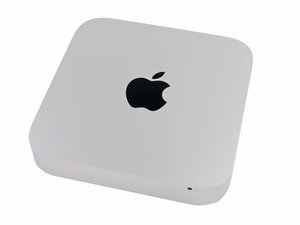
2014년 10월 16일에 발표하였으며, 모델 번호 A1347 및 EMC 2840로 식별할 수 있습니다.

Upgrading from HDD to SSD

I have a late 2014 Mac Mini with HDD. I would like to upgrade to a hybrid or SSD drive.

Do I need to buy extra hard drive mounting or a different cable or can I just swap the drives?

Does upgrade kit [링크된 제품이 누락 또는 비활성화 됨: IF107-122-3] seems to imply that there I just need the tools and new hard drive.

답변되었습니다! 답변 보기 저도 같은 문제가 있습니다

좋은 질문입니까?

점수 0
댓글 달기

답변 1개

선택된 해법

The easiest upgrade is to swap out the HD for the Seagate SSHD drive or 2.5" SSD. Here's the IFIXIT guide: Mac Mini Late 2014 Hard Drive Replacement.

Your other option is to add the Apple blade SSD and keep the HD. This will require either replacing the drive frame with one that has the blade SSD ribbon cable or install the ribbon cable Blade SSD Flex Cable for Apple Mac Mini A1347 Late 2014 and then the correct SSD

이 답변이 도움이 되었나요?

점수 2

댓글 3개:

Hi Dan,

To be clear -- if swapping out for the Seagate Hybrid drive or a 2.5" SSD drive, I wouldn't need any other cables or frames, correct?

Would any 2.5" SATA SSD work, such as this one? https://www.amazon.com/Crucial-512GB-2-5...

Review the guide you'll see there is no other parts needed for switching the 2,5" SATA drive out. Its only if you Add the SSD blade drive will you need any other parts.

You may want to get this though to help you copy over your stuff to the new drive: Startech 2.5" SATA to USB adapter if you don't get the full IFIXIT kit

댓글 달기

답변을 추가하세요

George 영원히 감사할 것입니다.
조회 통계:

지난 24시간: 1

지난 7일: 18

지난 30일: 70

전체 시간: 2,093
