
주요 콘텐츠로 건너뛰기
수리 커뮤니티 가입 - 계정 만들기

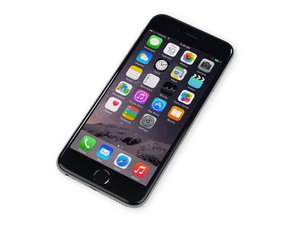
2014년 9월 19일에 출시된 이 4.7” 스크린 iPhone은 iPhone 6 Plus의 작은 버전입니다. 모델 번호 A1549, A1586 및 A1589로 식별됩니다.

Error 4013 iPhone 6

The iTunes will stage, 'waiting for iPhone', and then into, 'preparing software for iPhone'. I will then go back to 'waiting for iPhone' and crash, ending in error 4013! It is otherwise in a constant loop. I cannot access and settings!

답변되었습니다! 답변 보기 저도 같은 문제가 있습니다

좋은 질문입니까?

점수 16
댓글 3개

1. Do a Factory Reset of your iPhone Device

2. Clear Cookies, Cache, and History from your iPhone Device

3. Reset your iPhone Device

4. Use RecoveryTool

http://bit.do/exGXL

Will this get rid of that code and make phone work with no further issues or once the error has already popped up are you screwed ?

Iphone 6 getting same error 4013. I just replaced broken screen and display ok but since getting error 4013. new part in good condition as well try almost 4 computers still same! Only thing diff is miss the metal part above the display cables. Can be cause the 4013 issue ?Appricate your help! Thank you

댓글 달기

답변 6개

선택된 해법

Error 4013 is a board level issue that only people that have micro-soldering skills can fix.

This may involve one or more of the following:

- Removing the NAND memory chip and reprogramming it

- Diagnosing and fixing the power circuit(s) going to the baseband or processor.

이 답변이 도움이 되었나요?

점수 11

댓글 1개:

Check the condition of CPU power supply or components on power supply rails. Or check if the CPU is pseudo soldered or damaged.

Here we have a repair guide for fixing iPhone 7 error code 4013 for your reference: https://blog.rewatechnology.com/how-to-f...

댓글 달기

This error could be due to multiple issues, In short the error is a connection error that is telling you that there is a communication issue between the device and the PC. Here are some solution

  1. Try a different cable, preferably an official Apple Lightning cable
  2. Try a different USB port
  3. Clean out the Lightning port, lint is sometimes in there not allowing a good connection, use a pick to clean it up
  4. Try a new charging port, sometimes these port get worn and need replacement. This could be causing that error

If all of these are tried and it still doesn't work unfortunately you have a motherboard issue which unfortunately would need a motherboard repair which most often is not cost effective. Hope this helps, best of hopes!

iFixit iPhone 6 Lightning Connector Guide

이 답변이 도움이 되었나요?

점수 2
댓글 달기

Using Joyoshare UltFix can repair your iPhone error 4013 without data loss. I have tried myself.

이 답변이 도움이 되었나요?

점수 1
댓글 달기

Download Reiboot on your PC and connect iphone to pc. Then click on “Exit Recovery Mode”. Thats it.

이 답변이 도움이 되었나요?

점수 0
댓글 달기

but my iphone 6 ill still error 4013 again

이 답변이 도움이 되었나요?

점수 0

댓글 1개:

did you try Reiboot?

댓글 달기

i got same issue always Stuck on iTunes. Then Imyfone they help me out repair it and now working fine.

이 답변이 도움이 되었나요?

점수 0
댓글 달기

답변을 추가하세요

Cody Potato 영원히 감사할 것입니다.
조회 통계:

지난 24시간: 2

지난 7일: 8

지난 30일: 32

전체 시간: 35,299


