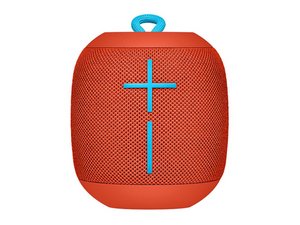

How to stop start up sound
Is there any way to turn down or turn off the start up sound on the UE Wonder boom. It is really annoying when everyone around you always comments ‘What was that?” everytime you turn on the device in the office.
좋은 질문입니까?
Is there any way to turn down or turn off the start up sound on the UE Wonder boom. It is really annoying when everyone around you always comments ‘What was that?” everytime you turn on the device in the office.
좋은 질문입니까?
There appears to be no way to turn off the ugly startup sounds on the Wonderboom 1 only the Wonderboom 2 at twice the price, very cruel. It took UE years to slow us to turn off the UE Boom and UE Roll after everyone complained. If they knew this was a huge annoyance why in the world did they put it on the Wonderboom and why so loud. Why should you listen to your customers anyway.
이 답변이 도움이 되었나요?
I should not have to download software onto my device in order to stop an oppressively loud sound. I will never use this product again. The startup sound is 75-76 dB. That is louder than normal conversation, and it is significantly louder than the set volume. I set the volume to 35 dB while my roommate is sleeping at 1am. So if the volume is set to a certain level, why must a shutting off sound be double that volume? Seriously, I want to know who thought of this feature so I can punch them in the &&^&^$^ face. If I shut it off, that’s because I want it to not make noise.
I can't believe this doesn't have a fix. I use 2x Wonderboom 3 in my admin office at work for stereo; the connection sounds are extremely loud and offputting. I can't afford to have my personal-comfort speakers beeboppin and boopin in a work environment. WHY IS IT SO LOUD
이 답변이 도움이 되었나요?
Come on guys just use the UE BOOM speaker app and hit the setting or with the sign of cog or gear as simples as that and you can see the settings for the language and others its basic you know i hope you can read
이 답변이 도움이 되었나요?
It doesn't work u dummy. AS soon as u disconnect from the app on ur phone it goes back to the original settings. And there's no windows app. Try not to sound too condescending, because u found one solution...
Nope, that doesn't work for the Wonderboom2, only the WB3 and onwards, so no, the app ain't a solution to this one
Mr. John before you assume that everybody is stupid I suggest you try first the answer that you suggest. I HOPE YOU CAN READ!
After much trial and error, I found that if I turned the Boom on from the app instead of physically using the speaker button, the annoying voice does not tell me to make sure to connect to the internet! I tried this several times now and it worked every time! Whoohoo!
이 답변이 도움이 되었나요?
Nope, sorry, that doesn't work for the WB2, only the other speakers, so sorry, no good
Turn this setting off ages ago and would like it back. How do I do this in the new app?
이 답변이 도움이 되었나요?
please download the application of ue boom in android or apple ios and their you have the controls of the speaker like EQ, language, volume, party up/make multiple speakers connect/multiple device connect to it/starting up tone, and the laat to power off the speaker.
이 답변이 도움이 되었나요?
Doesn't work with Wonderboom
if you have ios or android phone download the application for the ue boom speakers theres a setting there that modifies the on off sound…
There is not.
After options to switch off sound from the app, it no longer plays when turning on but still plays noise when switching off. It’s been upgraded firmware and I am on iOS 13.1 on iPhone. Please help as it’s annoying as F
just download the application of ue boom and theres a control over functions…
지난 24시간: 4
지난 7일: 59
지난 30일: 298
전체 시간: 87,343
댓글 20개
google it does this work off a pc ?
my sound on pc controls all old way so if its high all be on high
best to look at a manual *& see if google it (@@) find it
mark a arnott 의
Agree this sound is awful. I bought mine to use in the bath when I'm trying to relax but I have to put up with this awful loud sound whenever I turn it on/off. Not to mention that fact that there is a baby asleep next door so I have to muffle the speaker with a towel. Please send an update to turn it off or down before I throw this thing down the toilet!!
@mark a arnott do you not think we've already Googled this? How on earth do you think we got here in our quest?
Jon Lawson 의
I had the same problem until I discovered this:
Download the Ultimate Ears app, and in settings, ( the cog symbol top right) you can switch off all of its sounds under the heading ‘speaker sounds'.
Happy days! :)
Ruth MacCormick 의
Well Ruth, you almost made my day there but when I install said app it tells me 'SORRY THIS SPEAKER IS NOT COMPATIBLE WITH THIS APP'.
WHY THE !&&* NOT YOU EVIL MAGGOTS? THIS SPEAKER IS GETTING LAUNCHED ALL THE WAY TO MARS FROM THE END OF MY FOOT!
Jon Lawson 의
Thanks Ruth. This worked for me. There were a couple "ultimate ears" apps in Google Play. Had to make sure I downloaded the right one.
nohalfstppn 의
댓글 15개 더보기