
주요 콘텐츠로 건너뛰기

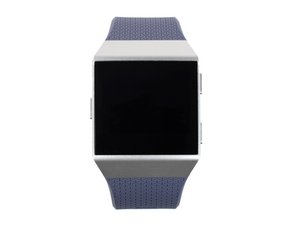
Repair information for the Fitbit Ionic. A smart watch with GPS tracker and music player on bluetooth. This device has been recalled for safety reasons.

Fitbit ionic not syncing

Hi my Fitbit ionic will notsync to me iPhone / iPad / Microsoft Windows 10 laptop,

i brought this from someone else else I saw it working so I don’t think it’s failty I just can’t get it to connect to my devices,

It keeps coming up with -

Error- ‘Something went wrong when trying to pair your device’

i have tried all the fitbit troubleshooting

이 질문에 답하기 저도 같은 문제가 있습니다

좋은 질문입니까?

점수 1
댓글 달기

답변 2개

가장 유용한 답변

I might try a factory reset.


Remove the Ionic from your account.

Delete the bluetooth pairing.

Press and hold all buttons on the device.

Wait until the Fitbit logo disappears, then release the bottom right button.

Wait until you feel a vibration, then release the other buttons.

You will probably see a red X message, just ignore that and setup the device again.

이 답변이 도움이 되었나요?

점수 1

댓글 2개:

Hi Carlos,

When I try to rest the Iconic, i release the bottom right button once the logo disappear however, there is no vibration and the red X message does not appear.

Thank you very much Carlos, it was very useful. It has solved my problem.

댓글 달기

Thank you for your response Carlos I have never added the device to my account yet, I’m trying to add it for the first time but keep getting that error.

Thanks

이 답변이 도움이 되었나요?

점수 0
댓글 달기

답변을 추가하세요

Harps Johal 영원히 감사할 것입니다.
조회 통계:

지난 24시간: 0

지난 7일: 3

지난 30일: 10

전체 시간: 1,690