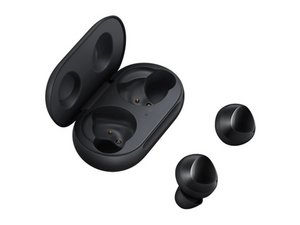

restore to factory setting
how do you factory reset because of an update failure.
좋은 질문입니까?
점수
2
평판: 25
 1
1
 1
1
how do you factory reset because of an update failure.
좋은 질문입니까?
평판: 37
1
These morons have no clue what a hard reset is.
If the wearable app doesn't find the earbuds….you cant do anything.
이 답변이 도움이 되었나요?
평판: 1.5k
12
8
 2
2
You can manage the buds from the Samsung Wearables App. You can also download the update software from the Samsung Support site and force update them through usb.
이 답변이 도움이 되었나요?
So how donu bbn force it through the USB and thanks for the info
평판: 13
1
You can also apply Factory Reset according to Samsung Suggested on website. Because Factory Reset erase all the settings and Data. That really help in Software update successfully. Solution 2 in Factory Reset Galaxy Buds tutorial that helped me.
이 답변이 도움이 되었나요?
what about if i have mac or an Iphone ?
You can force factory reset it by holding on Home+Volume Up+Power buttons at the same time, and from the factory reset page, use volume buttons to switch to Swipe data&factory reset selection.
이 답변이 도움이 되었나요?
지난 24시간: 2
지난 7일: 20
지난 30일: 37
전체 시간: 24,121