
주요 콘텐츠로 건너뛰기
수리 커뮤니티 가입 - 계정 만들기

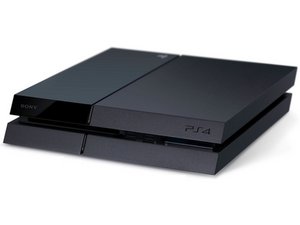
A television game console produced by Sony Computer Entertainment, also known as PS4. First announced February 20, 2013 and released November 15, 2013.

PS4 not recognizing LAN cable

I was having issues with my WIFI connection so I switched to a LAN cable. My PS4 says to connect a lan cable when I am setting up network settings, but it is plugged into both the PS4 and router. The cable works on other devices but it is not recognized by my PS4.

이 질문에 답하기 저도 같은 문제가 있습니다

좋은 질문입니까?

점수 6
댓글 1개

I had this problem too but now it says that it cannot connect to the server within the time limit

댓글 달기

답변 14개

가장 유용한 답변

Hey this probably won’t help but I restarted everything including my ps4 blew any dust out of the ports Turn to connect to Wi-Fi off viewed connection status then went and set it up again and it worked

이 답변이 도움이 되었나요?

점수 2

댓글 1개:

I can connect my ps4 to my wifi but not my lan cable. The game is also constantly lagging.

댓글 달기

Not sure if anyone is having the issue still. I was with using an enternet cable. None of the above ways worked for me which I was screwing at! But I finally found out how to sort it! I updated the ps4 in safe mode. Turning the ps4 on and holding down the 7 seconds. Then choosing update system software, it rebooted and bang! It worked. No more working with 10mpbs. Back up to 125mpbs!

이 답변이 도움이 되었나요?

점수 1

댓글 2개:

what if the system says it’s already up to date, then what ?

댓글 달기

Two things that came up to my mind:

  • Have you checked if there is no dust collected in the ethernet port?
  • Look under connection status and see what information your router is giving your PS4. You may have to re-enter it manually (even if it’s set to automatic).

이 답변이 도움이 되었나요?

점수 0

댓글 6개:

I have checked, it runs on my laptop with no issues but when i go to change my PS4 from WIFI connection to a LAN connection, is where the problem is. I just get a screen telling me to connect a LAN cable when it’s plugged in

Is there no dust inside the LAN port? Is it possible to test somewhere else? It’s not easy to replace the port as it’s directly soldered on the motherboard. What kind of issues do you have with the wifi ?

My PS4 will download things in rest mode and stay on the dashboard with no problems but when I play games, is when it starts the issue. Every like 20-30 minutes, it will say WiFi connection lost, but as soon as I get that notification, I can rejoin a party because it’ll say I’m offline for about 3 seconds, no joke. I am able to rejoin a party before my party members see that I was left the party.

Sorry for the late response! It could be a lot of things. Your Wi-Fi card or your antenna or maybe something software related. I had this issue too, keeps disconnecting from the internet two times. One time it was a bug in the game and the other time it was my router causing some trouble (firmware update helped). Do you have this issue with all your games??

Any update my ps4 has bad speed on WiFi so I tried to connect to cable but ps4 not Recognizing it

댓글 1개 더보기

댓글 달기

Please tell me you got an answer to this, it just happened to me today and I have no idea what is causing it

이 답변이 도움이 되었나요?

점수 0

댓글 4개:

That is keeps disconnecting from Wifi ? Or does it not recognize the LAN cable?

Hi, I am having this problem since 2018. So then I switched to WiFi, but my WiFi isn't very good. And now I want to use a LAN cable, but it keeps on saying LAN cable is not connected. I have tried switching my router, LAN cable, MTU settings but nothing helped. I also have tried rebuilding the database on PS4 but nothing helped. It's really annoying.

I got same issue, now I'm waiting for my ps4 to came back from warranty service

let's see what they say about it.

It looks like it is a pretty common issue :S

At the end I called PS service on last day of warranty and they replaced the main board

for me it looks like the ethernet chip is faulty

댓글 달기

I’m having the same issue. I’m trying to use a Cat 5e cable bc that is what is running through the house. If there are any suggestions, tips, or fixes, please let me know.

thank you

이 답변이 도움이 되었나요?

점수 0

댓글 3개:

I am having the same issue can someone help.

I found out exactly what the problem is. It is definitely not the PS4. It has something to do with your internet connection network settings. I was in my brother in laws house and no fix went home and connected to my internet with the Ethernet cable and boom it works.

Any idea how to fix the internet connection?

댓글 달기

Did you checked your cable? Is it working fine?

이 답변이 도움이 되었나요?

점수 0
댓글 달기

Yes, but no matter how many time I connect it just doesn’t work

이 답변이 도움이 되었나요?

점수 0

댓글 1개:

I keep getting a blue screen saying connect the DualShock controller and I keep doing it over and over and let it nothing happening

댓글 달기

I need help fixing my internet on my ps4

이 답변이 도움이 되었나요?

점수 0
댓글 달기

Same issue here. New cable. Tried multiple ports. Other playstation connects fine its just this one. Its never been able to connect via LAN.

이 답변이 도움이 되었나요?

점수 0

댓글 1개:

The problem is that when the RJ45-plug snaps into the PS4 the connect is lost. When unsnappinf and plugging back in, before the click, the connection works....

댓글 달기

Possible Causes Why PS4 Lan Cable is Disconnected:

Different players experience different reasons, and that is why you need a diverse collection of methods to try to fix your PS4 Lan cable disconnection issue. The issue could be due to;

  • Updated PS4 Pro firmware
  • A faulty cable.
  • A flawed Ethernet port, etc.

Solutions to fix PS4 Lan cable not connected:

  1. Restart your router
  2. Insert LAN cable ‘halfway’ through to the port
  3. Modify DNS settings on PS4
  4. Establish static IP address for PS4
  5. Rebuilding database on your PS4

To lean more about how how to establish static IP and modify DNS check this article

https://www.geexshow.com/how-to-fix-ps4-...

이 답변이 도움이 되었나요?

점수 0
댓글 달기

I’m trying to connect to my wireless internet but it’s switching on its own to lab cable and I don’t have lan cable I’m trying to go wireless which I have been doing for a couple of years

Can anyone help me

And asking for proxy server when I go wireless fyi

이 답변이 도움이 되었나요?

점수 0
댓글 달기

Is your LAN cable a cat7 or Cat8 Ethernet Crossover cable? I don't think a standard cable will work properly,

이 답변이 도움이 되었나요?

점수 0
댓글 달기

I am connect to the internet but can’t connect to the online serveres

이 답변이 도움이 되었나요?

점수 0
댓글 달기

My ps4 won't connect to wifi wirelessly or through lan. Ive hooked it up to my hotspot it works but slow. Ive bridged it with another ps4 in the house on the same wifi service and it works. Any idea what I should do its been going on over a year. Ive had isp tech come out multiple times they blame the device (mind you this isn't the only device that can't connect witelessly) they replaced router, ont, wires. Nothing works please help its mainly for my 13yo autistic son he doesnt really understand and is getting frustrated.

이 답변이 도움이 되었나요?

점수 0
댓글 달기

답변을 추가하세요

Nik Mora 영원히 감사할 것입니다.
조회 통계:

지난 24시간: 18

지난 7일: 119

지난 30일: 463

전체 시간: 98,193