
주요 콘텐츠로 건너뛰기

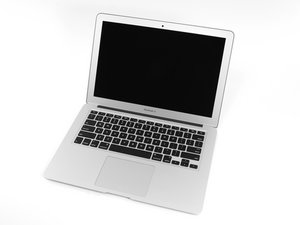
Apple의 MacBook Air 13" 2014년 4월 업데이트에는 참신한 듀얼-코어 i5 및 i7 프로세서와 더불어 배터리 성능을 약간 향상시켰습니다.

Hall effect sensor - screen closed

Hi,

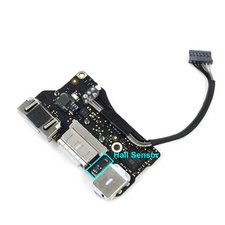
I have just been replacing my screen but the hall effect (sensor that detects the close of the screen to put in sleep mode) is not working anymore. I have found that this sensor is on the I/O board but I do not know where and how I can fix it. Thanks,

답변되었습니다! 답변 보기 저도 같은 문제가 있습니다

좋은 질문입니까?

점수 0
댓글 달기

답변 2개

선택된 해법

What part did you replace exactly, the screen assembly ? The hall sensor connects to the I/O board and it’s on the topcase, but it needs the magnet on the lid to be working properly. Unless the sensor was damaged somehow the only reasonable alternative explanation is that your replacement screen is missing the magnet. If you have a magnet around it will be quite easy to verify which of the two fits your case.

이 답변이 도움이 되었나요?

점수 1
댓글 달기

If you replaced the display you might have dislodged the magnet held in the lid frame, or the hall sensor is bad

Block Image

Using a rare earth magnet slide it across the uppercase where the sensor is located you should see the display turn on and off as you pass it across the sensor. Use a piece of tape to mark the location and now using a steel paperclip locate the magnet in the lid and marking its location the two marked locations should meet up. If not you either got the wrong lid assembly or the magnet is missing or got placed in the wrong hollow when you replaced the LCD panel.

이 답변이 도움이 되었나요?

점수 1
댓글 달기

답변을 추가하세요

Pierre-Luc Vérité 영원히 감사할 것입니다.
조회 통계:

지난 24시간: 0

지난 7일: 0

지난 30일: 7

전체 시간: 458