주요 콘텐츠로 건너뛰기
수리 커뮤니티 가입 - 계정 만들기

RAM Exchange - Cover prevents exhange

Hello community,

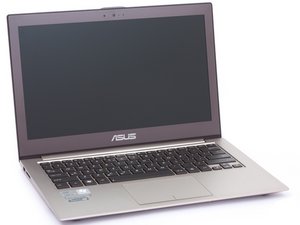
I have bought a SSD and a 16GB SODIMM RAM to upgrade my Asus Zenbook UX510UX(-CN179T). As I was trying to exhange the RAM, I realised there is a cover above it.

I am not sure if I can open it.

My questions:

Is there somebody who can tell me if I can remove the gray cable from the cover? What else do I need to do?

Block Image

Thank you very much!

Kind regards from germany!

답변되었습니다! 답변 보기 저도 같은 문제가 있습니다

좋은 질문입니까?

점수 0
댓글 달기

답변 2개

선택된 해법

Hi Paul Bmm

Below is one helpful link which you can refer to:

https://www.ultrabookreview.com/13046-as...

이 답변이 도움이 되었나요?

점수 0
댓글 달기

Thank you! I got it.

You have to press the box from both short sides and move it a bit. It then opens easily. I have temporarily removed the grey cable as well, that doesnt seem to be a problem.

이 답변이 도움이 되었나요?

점수 0
댓글 달기

답변을 추가하세요

Paul Bmn 영원히 감사할 것입니다.
조회 통계:

지난 24시간: 0

지난 7일: 14

지난 30일: 18

전체 시간: 99