
주요 콘텐츠로 건너뛰기
수리 커뮤니티 가입 - 계정 만들기

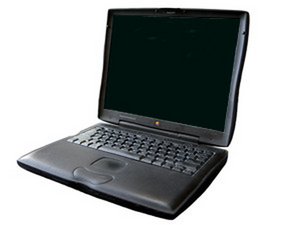
모델 M5343 / 333 또는 400 MHz G3 프로세서

How to remove the battery?

How does one go about removing the battery? there seems to be a button on it but pushing it has no effect other than making the green lights go on, I've seen a great how-to on other computers and was hoping there was one for this old lady as-well.

답변되었습니다! 답변 보기 저도 같은 문제가 있습니다

좋은 질문입니까?

점수 0
댓글 달기

답변 1개

선택된 해법

On the front edge of the case is a lever. Pull the lever and slide out the battery. The lever on the other side is for removing your optical drive although some people put a battery in both sides for more battery time. URL for a drawing is http://forums.macrumors.com/showthread.p... Go to number 5. Ralph

URL for this unit PowerBook G3 Lombard

이 답변이 도움이 되었나요?

점수 3

댓글 2개:

The green lights indicate charge level of the battery. Ralph

Thanks, that did it.

댓글 달기

답변을 추가하세요

Bill 영원히 감사할 것입니다.
조회 통계:

지난 24시간: 0

지난 7일: 3

지난 30일: 11

전체 시간: 3,799