주요 콘텐츠로 건너뛰기
수리 커뮤니티 가입 - 계정 만들기

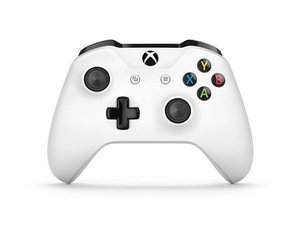
Xbox One 컨트롤러는 2016년 Xbox One S 출시와 함께 소개되었으며, Windows 10/11용 블루투스 지원 기능이 추가되었습니다. 이 컨트롤러는 모델 1537/1697 컨트롤러에서 발견된 많은 설계 결함을 수정했으며 훨씬 더 안정적입니다. 이 컨트롤러는 개선된 모델 1914 컨트롤러로 대체되었습니다.

Controller doesn't want to work via USB connection

Hello! I’m using my Xbox controller plugged in via USB cable without batteries. Yesterday, it just simply stopped working. It seemed like a driver issue at first, the controller buzzed when plugged into USB port, but was not connected. It also takes power from the USB port and when I’m pressing the middle button it connects via Bluetooth normally. tried reinstalling the drivers, testing 2 other cables and plugging the controller into my laptop. So It doesn’t work with any of my cables or my PC or laptop, it does take the power from the USB but doesn’t connect via USB.

Any ideas on how Can I fix it? I know I technically can use the cable as batteries and connect my controller via Bluetooth, but due to various medical devices I use I would prefer to avoid it.

이 질문에 답하기 저도 같은 문제가 있습니다

좋은 질문입니까?

점수 1

댓글 1개:

I have this same problem as well, have you found a solution?

의

댓글 달기

답변 2개

Stupid question but have you tried plugging the cable into different USB ports? USB ports can partially die and switch to only giving USB power.

이 답변이 도움이 되었나요?

점수 0

댓글 5개:

Yes. 3.0 USB ports, 2.0 USB ports, different cables, different PC's. It simply doesn't detect it as a device. The controller gives one buzz and it is supplied in terms of energy, but it doesn't want to connect. via the cable.

의

@themiziko OK, pretty sure your controller stopped sending any USB data.

RIP your controller 2021-2021

의

Even if it is taking the power? Can't it be something with the motherboard? or one of the 5 connectors in the USB port? it kind of doesn't make sense to me that all of a sudden it just .. died? it didn't even fall or anything

의

@themiziko Sounds like either a damaged port or a damaged controller. Have you made sure there aren't any missing or bent pins in the port?

의

@spudpiggy Yes indeed! the pins look perfectly, all of them are connected, and the cable sits firm in the controller and doesn't move in any direction so it's not loose. I guess it's time to buy a new one :) but I was just surprised that I took such good care of it, it never fell or was damaged, and it just died. but I guess it's my luck :)

의

댓글 달기

blue controller xbox not play good fine usb

이 답변이 도움이 되었나요?

점수 0
댓글 달기

답변을 추가하세요

Divine Kataroshie 영원히 감사할 것입니다.
조회 통계:

지난 24시간: 0

지난 7일: 8

지난 30일: 50

전체 시간: 4,484