
 3
3  1
1 Popped SMD Capacitor Replacement
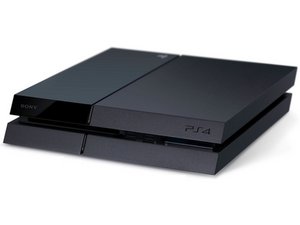
Hey guys and girls. My PS4 recently developed a power issue that I thought was due to a faulty power supply. It would turn off about a second after I turned it on and would show no life until I unplugged it from the main and plugged it back in. Changing the power supply did not help.
This evening I tried turning it on because I hadn't tried to in a while and for the first time I noticed a tiny spark close to the fan. There was also a slight smell of burned electronics. Being the DIY guy that I am, I took it apart to find that a SMD capacitor had ruptured.


Does anyone know the rating of the broken capacitor I've highlighted in the photo? The mainboard is the PS4 SAA-001 from the PS4 CUH-1001A model. Your help is highly appreciated.
Update (02/17/2021)
Hi @honakrisi
Thanks for your response. In my spare time today I managed to get the blown capacitor off the board. It just fell away in pieces as soon as I put a pair of tweezers to it.
Just as you mentioned, I do see some damage to the adjacent capacitors. I will take your advice and have those replaced as well. You also mentioned damage to the pad below the cap. but I'm not at all sure if it's the case here. Please take a look at the pics and let me know what you think.


Does it look repairable?
On a side note, I wish there was a way of knowing the capacitance without having to remove a good one from the board.
Update (02/18/2021)
Hey @honakrisi
Got you on the pads. I’ll try to get them cleaned up soon and report back on their condition. Thanks a million for going the extra and demonstrating what healthy pads look like. On the board, there are some sections with pads where capacitors would be installed but are left blank. The empty pads are copper color (pictured). Hopefully this is a tiny indication that the pads where the capacitor exploded are still healthy.

좋은 질문입니까?

 4
4 

댓글 5개
Hi @x3remes ,
I think you will be fine, once is it cleaned up. There are some copper colour showing on your first pictures so hopefully you will be able just to solder back the new caps.
honakrisi 의
Hey @honakrisi, I'm hoping the same. Today I borrowed a microscope from the lab at work and picked up some flux and a heat gun, but I wasn't able to get wick. Electronic hobby stores are not very common here in Jamaica. I plan on doing the removal of the other 2 caps and cleanup of the pads this weekend. Do you have any suggestions as to what I can use as an alternative for the wick?
Roneil Napier 의
Hi Roneil i think i have some problems same with your defective smds, have you successfully managed to replace them? What is their rating / specs? Did the console work after? Thank you
Christian Emit 의
@x3remes did you ever get through with this? I am having the same problem right now and found the same exact popped capacitor. Any guidance would be appreciated.
Sanjeev Ballyram 의
@x3remes
You can use some stranded wire form an old cable and it should have the same effect. You might need to use a longer piece, as the wicking capability is not as good as the braids/wicks.
honakrisi 의