
주요 콘텐츠로 건너뛰기
수리 커뮤니티 가입 - 계정 만들기

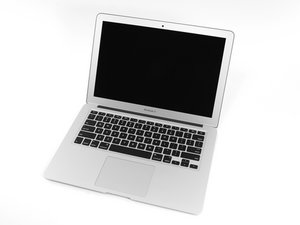
Apple의 MacBook Air 13" 2015년 5월 업데이트에는 5 세대 Intel Core i5 및 i7 프로세서가 성능과 배터리 수명을 약간 향상시켰습니다.

Replace firmware bios chip

Hi all. My MacBook’s firmware password from three owners ago has recently activated itself again. I’m unable to get support from Apple, since I don’t have the original purchase receipt, and my research has shown me that if I replace the firmware bios chip on the logic board (with a new serial number) the problem will go away forever. Before I do that repair I have some questions that hopefully more knowledgable folks like you might confirm, answer, or clarify before I make some purchases and execute the repair.

  1. Is this the correct part (https://www.ebay.com/itm/BIOS-EFI-Firmwa...) I need to purchase and replace? (The model, A1466, and logic board, EMC 2925, appear to match.)
  2. This video (https://youtu.be/D4kqC2MaQjg) appears to have pretty thorough instructions on how to execute the repair; would anyone with experience be able to confirm this is good video?
  3. Although I’m fully comfortable removing and reinstalling the logic board and all the internal components needed to get to the chip, I have never soldered anything before. Is this a repair someone with zero soldering experience should attempt?

Also, let me know if there’s anything else I’m missing that I should know.

Many thanks!

이 질문에 답하기 저도 같은 문제가 있습니다

좋은 질문입니까?

점수 0
댓글 2개

Let’s make sure we are talking about the correct issue: Firmware password and iCloud password issues are quite different!

Review this doc If your Mac doesn't start up all the way

Yes, it's the firmware password—with the lock icon—not icloud. This has also been confirmed by Apple when I brought it to them when the problem first occurred.

댓글 달기

답변 2개

가장 유용한 답변

Someone had to physically have access to the system to apply it. You may want to see who had access to the system as they know what it is. Otherwise you’ll need to edit the firmware resetting it. I wouldn’t replace the chip as they invites other problems. The company may have leveraged iCloud to remotely lock the system.

이 답변이 도움이 되었나요?

점수 3

댓글 21개:

Would you explain what you mean by "physically have access to the system"?

@jthomas12 What @danj is saying is that the machine cannot automatically reactivate the bios password. It either has a password or doesn’t. If you were able to remove and install firmware before and you cannot now it would point to someone physically putting a password on it.

Ok, thanks for clarifying @imicrosoldering. Yes I suspect the company which originally owned the computer somehow reactivated the firmware lock remotely. Something like this happened when I bought the computer from an ex-employee of the company. He was able to reach out to them and have the issue resolved. Unfortunately, I've lost contact with that person (changed number and other contact info) and the company has not responded my repeated emails and phone calls.

Right now my understanding is that replacing the bios chip and assigning a new serial number to the computer should solve that issue and make sure this won't happen again. Am I incorrect? Do you have other suggestions on how to resolve this issue? I'd appreciate any advice on this issue. It's a perfectly fine machine with another several years of use on it; I'd hate to lose it over something like this.

@jthomas12 - Firmware password lock is not possible remotely.

@danj, yeah it could have been something else. I'm saying that because the original company was able to make changes to the computer remotely in the past. That, however, appeared to be resolved years ago when I addressed the issue with the person I bough the computer from.

However, the firmware lock enabled itself somehow — I did not turn it on, and no one else would have access to the system. So regardless of how it happened, I want to solve the issue to get this computer working again. What are my options for solving this? You mentioned editing the firmware earlier; how would I do that?

Thank you all for your time on helping me. I really appreciate it.

댓글 16개 더보기

댓글 달기

This what your MacBook Air needs: 2017 and older ONLY - MacBook Air Firmware Lock Removal

이 답변이 도움이 되었나요?

점수 0

댓글 1개:

Yes, editing the EEROM can remove the systems firmware password. But as you can see there's a bit of kit needed to do it. For most people it tends to be a bit too much and given the cost of getting the needed stuff would be more than just getting a clean used logic board, and lastly, in the process maybe boosting the RAM and performance.

댓글 달기

답변을 추가하세요

Jude 영원히 감사할 것입니다.
조회 통계:

지난 24시간: 0

지난 7일: 9

지난 30일: 48

전체 시간: 2,042

