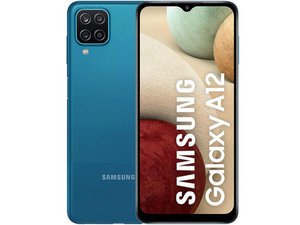

hearing issue after screen replacement
People on the other line can't hear me when on speakerphone?
좋은 질문입니까?
점수
5
평판: 71
 2
2
 2
2
People on the other line can't hear me when on speakerphone?
좋은 질문입니까?
평판: 10.3k
192
13
 47
47
Test your microphones there are two: the bottom one works when vertical, the top one works in speakerphone mode; test both. Enter "*#0283#" on phone screen to run the self tests. You can also try recording your voice in vertical and horizontal position and play back. If you can't hear one of them you may have a hardware issue. There are other things to check before rushing out to buy a replacement microphone though. 1. Restart your phone, that may work. 2. Check that any apps which use the microphone that you might recently have installed are not interfering with normal operation. 3. Do a soft reset of your device Press and hold phone Power / Side button (right edge) until the 'Power off' prompt appears then release. 4. Update your phone (check for updates and install if available, restart). 5. Check the microphone openings on the top and bottom of your device to see if they may be blocked by debris. Since this followed a screen replacement check the top mic didn't somehow get blocked or clogged. Maybe a displaced seal? (Or damaged here are some other things to consider, including one video link on doing a replacement if needed. I'd look for a better example on the disassembly than in that video however... spraying alcohol into a device with battery still in is NOT advisable. Last: back up your data, make SURE you know your account and password or you will be locked out! Then do a factory reset (all your data will be removed, thus last resort.) If you do a backup first, though, you can restore it. Since I m too lazy to keep writing, go here for instructions, or google it. Good Luck" Oh yes, in case it s still under warranty, pursue that before voiding your warranty by opening it yourself.
이 답변이 도움이 되었나요?
Thanks for your nice explanation Juan 🙂
If you mention which information helped you it might be helpful to the next person with a similar problem, but not required... thanks
By the way, another thing you can try (which I recently learned myself) is that if it works normally in safe mode, that means you do indeed have a software issue which can be addressed by removing, or possibly by updating apps that are causing the problem.
ضعف في الشبكة
지난 24시간: 2
지난 7일: 10
지난 30일: 27
전체 시간: 6,034

