
주요 콘텐츠로 건너뛰기
수리 커뮤니티 가입 - 계정 만들기

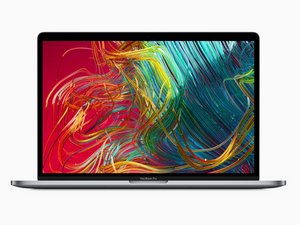
모델 A1990/EMC 3359. 2019년 5월에 새로운 6코어 및 8코어 프로세서 옵션으로 출시되었습니다.

Touchbar flickering even when unplugged

So this MacBook Pro 15" touchbar 2019 has a faulty touchbar which flickers green and black. After opening up the MacBook and unplugging the touchbar, the flickering continues! What the !&&* is going on? Where does it even get power from? This is spooky.

답변되었습니다! 답변 보기 저도 같은 문제가 있습니다

좋은 질문입니까?

점수 0
댓글 달기

답변 1개

선택된 해법

Hi

From what you have told me I think the touch-bars OLED display has been damaged

The flickering that you are seeing when it’s off is due to spare electricity that hast been used yet making its way out(OLEDS are quite power efficient so it will take a while to stop after being unplugged)

EBay and AliExpress have some good replacements for a reasonable price;-)

Hopefully this answers your question

Thanks:-)

이 답변이 도움이 되었나요?

점수 0

댓글 1개:

I'm wary of the phrase "spare electricity that hast been used yet making its way out".

If, indeed, the touchBar screen or driver electronics are damaged, one of the two below is likely true:

1. When macOS intends for the touchBar screen to have black pixels, the driver electronics misinterprets correct control signals from macOS and drives the touchBar with white pixels for some of the refresh cycles (typically 60 Hz on MBPs of this era), resulting in flickering.

2. If the touchBar screen is damaged, correct control signals from macOS have resulted in correct electrical signals being generated by the driver electronics, but damage to the internal wiring of the touchBar screen is resulting in control signals driving pixels that were not intended to be turned on, at unintended parts of the refresh cycle.

Note: Flickering is also present on MacBookPros with touchbars that are not physically damaged. Could be a software or SMC issue, and those have some known suggested (free) fixes.

댓글 달기

답변을 추가하세요

Sam 영원히 감사할 것입니다.
조회 통계:

지난 24시간: 0

지난 7일: 2

지난 30일: 9

전체 시간: 860