
 1
1 Burnt Battery Daughterboard Cable
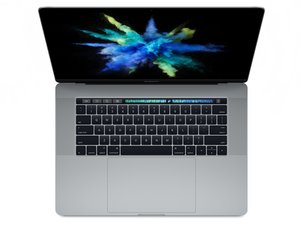
I recently replaced a 6-year-old battery on my MacBook Pro 15" 2017. It was working fine and I left it plugged in at my desk for about a week and used it a few times on battery and everything was fine until this morning after a meeting. I noticed the battery status was Not Charging, and so tried plugging in a different charger. The instant the new charger connected, the MacBook shut off and refused to boot.
I eventually managed to get it to restart when on the included 87W charger, but the computer instantly dies once off wall power. Upon opening the computer and checking the battery connections I noticed the plastic around the daughterboard flex cable looked odd, and on closer inspection one of the pins appears to have burnt out, melting some of the plastic on both the cable and the ZIF connector.


Does anyone know what could have caused the data cable to burn out like this? I'm pretty sure there weren't any shorts on the old cable/socket so the next most likely thing is I didn't insert the new cable correctly into the ZIF socket, but the computer was reading the battery diagnostics correctly up until today.
좋은 질문입니까?

 347
347  977
977 
댓글 5개
I just changed mine and had the same issue after the very first charge. Same pin. Did they replace it under warranty?
HUSSAIN ABBASI 의
@hussainabbasi Not sure about what they did for @lordkeyboard, but they replaced it under warranty when it happened to me.
David Thompson 의
@hussainabbasi - Yes! Contact the seller to get a replacement and cable.
DanJ 의
@hussainabbasi I honestly ended up just buying a new computer as this one was already several years old and luckily the rest of the computer was still working. I didn't try to get it replaced under warranty as the computer's logic board was already damaged by this and I would have had to replace it as well. If your logic board is still in good shape, definitely try and get this replaced.
Sean 의
Thanks. I will call them (if I can ever find the info lol)
HUSSAIN ABBASI 의