주요 콘텐츠로 건너뛰기

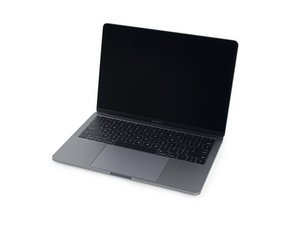
A1708 / EMC 2978 — 2016년 10월 출시, 이 기본 레벨 MacBook Pro는 (OLED Touch Bar가 아닌) 기존의 function keys를 유지합니다. Function Keys 버전은 Intel Core i5 및 Thunderbolt 3 포트 2 개를 포함합니다.

Screenless mod? Is making the MacBook screenless difficult?

I've seen two YouTube videos but felt that there could be a better tutorial. My screen is broken. I'm using a monitor to use it but would be happy to remove the screen and use a portable monitor.

Anyone have any experience?

답변되었습니다! 답변 보기 저도 같은 문제가 있습니다

좋은 질문입니까?

점수 0
댓글 달기

답변 1개

선택된 해법

Sadly there’s a lot of wacky stuff out there!

It took us a good three years trying to educate people about using Rice to dry out a cellphone! It doesn’t work! Don't Put Your Device in Rice. Here's Why...

So let’s look at this objectively!

The display has a bunch of functions, you know the first! Display, the next a camera. But there’s more! The lid holds magnets! One is used with a magnetic sensor (Hall Sensor) to wake and engage the system. It also offers when off the display of the battery state.

The last one is a killer! Input to SMC which when severed goes into CPU safe mode where the fan is boosted and the CPU’s clocking is reducedreducing the systems performance!

So them’s the facts! Apple design precludes running without the display being present and wired!

So can I over come all of this? I’m sure someone has tried, in the end of all of the alterations and the invested time it’s just better to live with an external display as well as keyboard and mouse!

Or, see if you can find a used display to fix your system MacBook Pro 13" Retina (Late 2016-2017) Display Assembly and the guide MacBook Pro 13" Function Keys Late 2016

Replace a display compatible with a 2016 or 2017 model A1706 or A1708 MacBook Pro 13" Retina laptop. Includes the 2560 x 1600 13.3" Retina LCD Screen, Display Cover, Bezel, FaceTime HD Camera, Clutch Hinges, Display Daughter Board, Cable Spring Mechanism. Part #661-05096. 이미지

제품

MacBook Pro 13" Retina (Late 2016-2017) Display Assembly

$444.99

이 답변이 도움이 되었나요?

점수 3

댓글 2개:

Wow. Thank you so much for the thorough and detailed response. Honestly you haven't just given me the best answer, you've also managed to console me that this isn't a big deal and the mac is still usable.

Really appreciate it.

@quimper - Sorry I burst the bubble on you. Please accept the answer. Thanks!

댓글 달기

답변을 추가하세요

Quimper 영원히 감사할 것입니다.
조회 통계:

지난 24시간: 0

지난 7일: 3

지난 30일: 11

전체 시간: 433
