
주요 콘텐츠로 건너뛰기
수리 커뮤니티 가입 - 계정 만들기

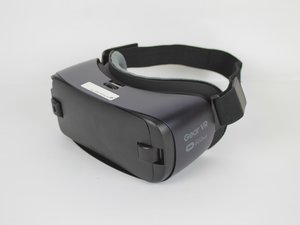
The Samsung Gear VR, model number: SM-R323NBKAXAR, was released in 2016. The devices the headset is compatible with include: Galaxy S7, Galaxy S7 edge, Galaxy Note5, Galaxy S6, Galaxy S6 edge, and Galaxy S6 edge+. The device comes with elastic head straps, micro-usb Connectors, and a wireless controller can be purchased separately.

Unable to install software on phone

Recently picked up a 2016 Samsung Gear VR to mess with, and I am unable to make it work. First tried it with an S7 Edge (running Android 8) and as soon as it tries to install all the Oculus related software, it runs into a "network error" and fails to install the software. Then tried it with my Note 5 (running Android 7) and ran into the exact same issue. These phones should be compatible, so there's no obvious reason this error should be occurring. Any advice above "try a different network", "disable VPN", "do a software update" or any common troubleshooting methods would be greatly appreciated, as I've tried everything commonly suggested online and it hasn't worked. Thanks!

답변되었습니다! 답변 보기 저도 같은 문제가 있습니다

좋은 질문입니까?

점수 1
댓글 달기

답변 2개

선택된 해법

Follow the instructions here:

https://gearvr.net/unbrick

이 답변이 도움이 되었나요?

점수 1

댓글 2개:

This worked perfectly! Unfortunately now I'm unable to sign into the Oculus app, and I'm either told "Your Facebook session has expired or is invalid. Please log in to Facebook again." Or if I try other sign in methods I'm unable to continue due to some error. Is there any way to fix this?

You can only sign into the Gear VR with a Meta account, that used to be an Oculus account, that is linked to Facebook.

If your account matches these criteria, sign into Facebook using the Facebook app, then switch back to the Gear VR and select "Sign in using Facebook".

New Meta accounts won't work.

댓글 달기

Suppose I don't have meta account what can I do to run library shop oculus 😭 😭 😭 or any way to install all apps that available on shop manually

이 답변이 도움이 되었나요?

점수 0

댓글 1개:

To run apps without a Meta Account, I found it easiest to use a free APK called Gala Launcher, which is a 3rd party way to launch Gear VR apps. You can find APKs for GearVR apps on https://vault.gearvr.net/product-categor... that can be downloaded and installed like any other APK. (Just make sure to allow 3rd party downloads/installs in your device's settings) Once you install some APKs, they will show up in Gala Launcher, where you can easily open them.

댓글 달기

답변을 추가하세요

Michael Taylor 영원히 감사할 것입니다.
조회 통계:

지난 24시간: 3

지난 7일: 28

지난 30일: 161

전체 시간: 3,403