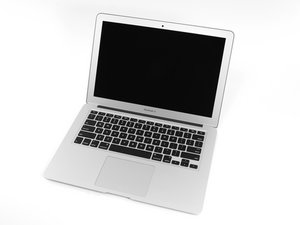

How to turn on without keyboard
I’m making a cyberdeck out of this motherboard but using a USB keyboard. How can I turn it on without the integrated power button?
좋은 질문입니까?
점수
0
I’m making a cyberdeck out of this motherboard but using a USB keyboard. How can I turn it on without the integrated power button?
좋은 질문입니까?
평판: 502.7k
 35
35
 347
347
 977
977
I’m not sure what you mean by a CyberDeck. Pulling a MacBook logic board out and then trying to use it within a different case won’t really work effectively. You see there are sensors which monitor power, voltages and heat that when severed SMC gets into a panic forcing the system into CPU Safe Mode, lowering the CPUs clock cycle and pumping up the cooling fan and lastly latching the system up so it can’t hurt it’s self.
Can you expand what you want to achieve here.
이 답변이 도움이 되었나요?
Sorry if I was not clear, I have already managed to get it fully functional out of the case, I’m just attempting to find the correct places on the motherboard I can solder wires to for a better power on system. The SMC panic has been bypassed already so I don’t need to worry about that. Voltage issues should not happen as I am not modifying the voltage regulation system or BMS.
@trevorwatkins - I still don't recommend what you are doing so do be careful as the battery circuit also requires SMC connection. Here's a reference to create the needed momentary contact on the Power Pads MacBook Air Power-On Pads – Location & Use
Thanks, that worked perfectly fine. Was able to get a custom power button hooked up to it.
지난 24시간: 0
지난 7일: 3
지난 30일: 18
전체 시간: 318

