주요 콘텐츠로 건너뛰기
수리 커뮤니티 가입 - 계정 만들기

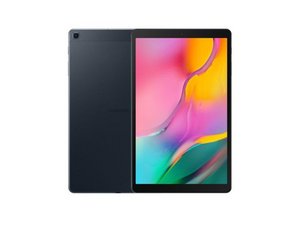
Samsung Galaxy Tab A 10.1의 새로운 버전이 2019년 2월에 발표되었으며, Android 9.0 Pie(Android 10 및 11로 업그레이드 가능), Exynos 7904 칩셋, 그리고 해상도는 그대로인 IPS 디스플레이가 탑재되었습니다. 후면 플래시는 제거되었고 S펜 지원은 제외되었으며 배터리 용량은 줄어든 반면, 전면 카메라는 5 MP로 업그레이드되었고 스피커는 이제 스테레오 방식입니다. 모델 번호: SM-T515 & SM-T510.

USB cable transfer to computer not working

I initially had the problem where it says there is moisture in the charging port

and will not turn on. I took it to a repair shop and he replaced the charging

port board. Then it worked alright for a while but now it has stopped working

when I want to transfer files between the computer and tablet via USB cable.

Windows says the device attached is malfunctioning. The tablet still charges

properly though (and normal charge not slow). So could this be a problem with

the connection between the charging port board and the motherboard or the

USB connector on the tablet? In either case maybe I could just take it apart

and clean it up myself? I have a fairly good knowledge of electronics but not

much experience in maintenance. I would be most grateful for any advice

anyone can give me.

이 질문에 답하기 저도 같은 문제가 있습니다

좋은 질문입니까?

점수 0
댓글 달기

답변 2개

가장 유용한 답변

have you checked that the USB cable is capable of transmitting information and not just current. If there is a genuine problem with the tablet and not the cable you probably need to change the USB port here is a guide Samsung Galaxy Tab A (2019) 충전 포트 교체

이 답변이 도움이 되었나요?

점수 1
댓글 달기

Hello there,

Thanks for your input. I diagnosed that it was indeed the table in the end by connecting my phone to the computer using the same cable and transferring files worked. I had the charging port replaced last year by a repair shop and did not want to have to keep doing it as it costs £60 and you can just buy another tablet for that. Similarly doing it myself will cost £30 in tools and a lot of time and effort. Also the last time I did that was taking a PS/3 apart and when I put it back together the WIFI ceased to work! Admittedly now I have found this site future operations should be a lot less hazardous :-)

In the end I had an idea which is to remove the MicroSD from the tablet and plug it into the computer via a USB/MicroSD adapter I had hanging around. It is transferring 30Gb right now and looks like it will finish in 20 minutes: would have taken over a week via Bluetooth!

Anyway thankyou again for your help.

Regards

이 답변이 도움이 되었나요?

점수 1
댓글 달기

답변을 추가하세요

Lori Fairhead 영원히 감사할 것입니다.
조회 통계:

지난 24시간: 0

지난 7일: 1

지난 30일: 14

전체 시간: 267